Construction management software for Indian contractors and builders
Track daily progress, materials, drawings, quality checks, and approvals in one system your team can use on site and in the office.
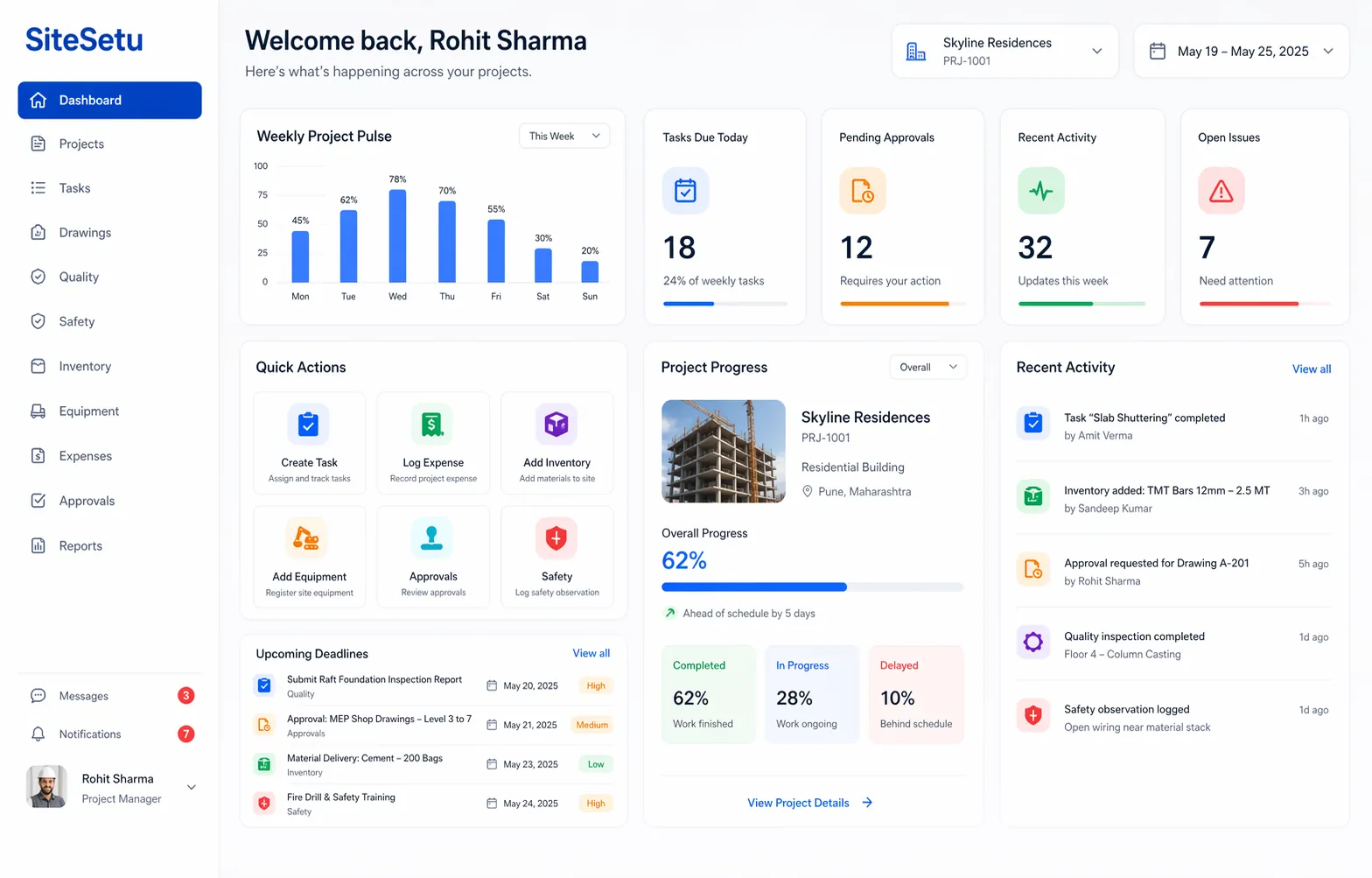
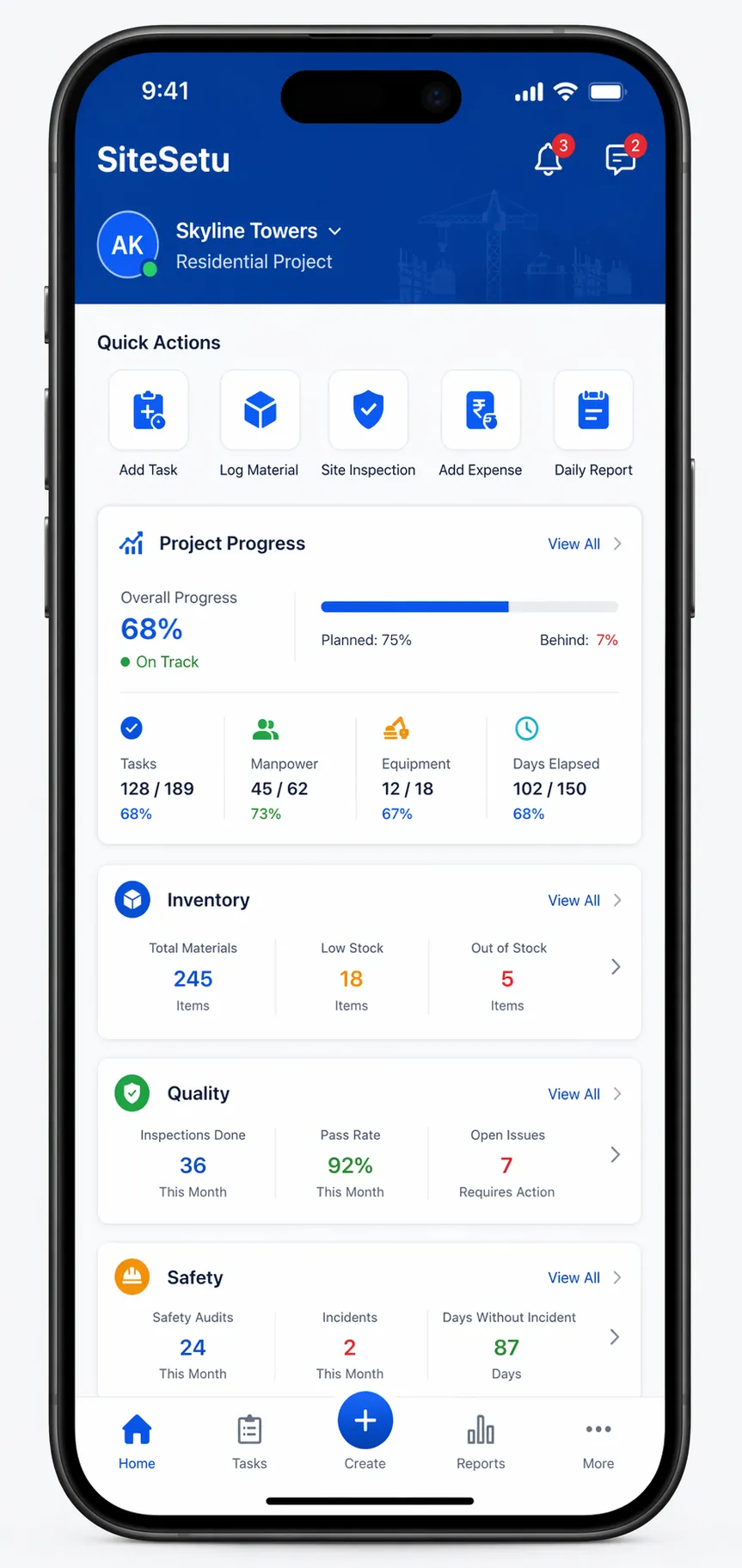
Replace fragmented site coordination
Use one system for planning, execution, materials, and documentation.
Without a shared app
- -Daily updates trapped in WhatsApp and phone calls
- -Material receipts, issues, and returns split across registers
- -Old drawing versions still circulating on site
- -Quality checks happening without searchable closure records
- -Leadership only sees problems after the week is already lost
With Site Setu
- Progress tied to tasks, locations, photos, and notes
- Indent, GRN, stock, and issue records visible in one workflow
- Revision-aware drawings available to field and office teams
- Quality actions and follow-ups stored with an audit trail
- Clearer daily visibility for contractors, builders, and engineers
Core workflows inside the app
Start with the workflows that create daily visibility, then expand as adoption grows.
Tasks and daily progress
Track planned work, daily execution, blockers, and photo updates in a field-ready workflow.
Materials and procurement control
Connect material requests, GRNs, stock movement, and issue history so sites stop guessing.
Drawings and document clarity
Keep the latest drawings, files, and approvals accessible without version confusion.
Quality and closeout follow-through
Capture inspections, snags, non-conformances, and corrective actions in one shared record.
Most teams begin with task management, inventory control, and drawing access. Once the daily rhythm is stable, they usually extend into quality workflows and safety processes.
What's inside the app
Module-by-module coverage, in the words your site team already uses.
| Module | What it covers |
|---|---|
| Daily progress (DPR) | Work done by location, labour and equipment counts, photos and blockers flagged the same day. |
| Tasks and WBS | Work breakdown by tower, floor, and activity with owners, dates, and progress against plan. |
| Indent → PO → GRN | Site indents with quantities, PO approval routing, and GRN verification against what actually arrived. |
| Stock and issues | Receipts, issues to work, returns, and location-wise stock balances. |
| Drawings | Current revision per drawing, superseded sheets locked away, mobile access on site. |
| Quality and NCR | Activity checklists, snag and NCR assignment, photo-backed closure. |
| Billing support | Measured quantities with photo backup, RA bill context, deduction and recovery notes. |
Choose the next page
If you are evaluating the app, these pages answer the next decision fast.
DPR workflow
See how daily reporting connects field updates with office follow-up.
Open pageExplore modules
Move from the overview into WBS, inventory, drawings, quality, and CRM.
Open pageSee role workflows
Find the page for contractors, builders, engineers, and storekeepers.
Open pageCompare alternatives
Review how Site Setu compares with Excel and other construction tools.
Open pageTemplates and checklists
Use ready-made formats to support rollout and daily execution.
Open pageBuilt for the teams who actually run projects
Each team gets what it needs without losing shared visibility.
Contractors
Keep multiple sites aligned on tasks, procurement, inventory, and documentation without adding more spreadsheet admin.
Explore role pageBuilders
Give leadership cleaner portfolio visibility across progress, materials, and drawing-controlled work.
Explore role pageSite Engineers
Make daily reporting, issue tracking, and coordination faster from the field with mobile-first workflows.
Explore role pageSee how Site Setu supports contractors, builders, and site engineers with the same connected platform.
A practical 30-day rollout
Start with the workflows your team uses every day, then expand.
Start with one live project
Set up project locations, team roles, and the daily update routine before expanding to more sites.
Run tasks and DPR together
Track planned work and actual progress in the same system so delays and blockers are visible the same day.
Add materials and drawings
Bring your high-frequency workflows into the app first: stock movement, GRNs, and current drawing access.
Review weekly and expand
Once the team keeps daily discipline, extend into quality, safety, and more structured project controls.
Moving from Excel and WhatsApp to Site Setu
You do not have to throw away the spreadsheets. Move the daily records first.
What stays in Excel
Estimates, BOQ working, and one-off analysis can stay in spreadsheets. Site Setu replaces the daily operating records, not your costing models.
What moves to the app
DPR, indents and GRNs, stock movement, drawing access, and snag closure — the records the whole team touches every day.
What the first 30 days look like
One live project. A daily DPR rhythm in week one, indents and GRNs by week two, then drawings and quality once the habit holds.
Free pilot on your first project — if the team does not keep using it, you have lost nothing but a few site walks.
Compare and learn before you choose
Use these guides to compare tools and decide what fits your workflow.
Construction daily progress report software
Review what a strong DPR workflow should capture before your team pilots the app.
Open guideCompareExcel vs construction software
See where spreadsheets break down for daily site coordination and auditability.
Open guideCompareSite Setu vs Buildcontrol
Review module depth and workflow coverage before you shortlist vendors.
Open guideCompareSite Setu vs RDash
See how Site Setu compares when your shortlist includes RDash and you need clearer site execution workflows.
Open guideBlogConstruction project management software India
A practical guide to choosing software that fits real Indian site workflows.
Open guideWorkflowBilling & RA bill software
See how measurements, RA bills, and payment follow-up connect to site data.
Open guideWorkflowProcurement software
Indents, PO approvals, GRNs, and vendor follow-up in one material trail.
Open guideWorkflowQuality control software
Inspections, NCRs, and snag closure with photo-backed evidence.
Open guideBlogBest construction apps India (2026)
Compare the leading construction apps for Indian contractors before you shortlist.
Open guideBlogMobile construction management app
See what a site-first mobile app should handle when your team lives on their phones.
Open guideBlogOffline-first construction software
Why offline capability matters on Indian sites with patchy network coverage.
Open guideBlogExcel vs construction software
Read the full breakdown of where spreadsheets stop scaling for site teams.
Open guideBlogPowerplay alternative
Compare Site Setu with Powerplay on module depth if it is on your shortlist.
Open guideBlogProcore alternative for small contractors
See why global enterprise tools are a poor fit for small Indian contractors — and what fits better.
Open guideBlogConstruction ERP for SMBs
Understand when a small builder actually needs ERP-style workflows and when an app is enough.
Open guideBlogDigitization playbook
How Indian construction companies move from registers and WhatsApp to digital workflows without disruption.
Open guideBlogEquipment tracking software
Track machinery location, usage, and maintenance alongside tasks and materials.
Open guideBlogEquipment work log app
Log daily machine hours and diesel so hire bills can be verified against site records.
Open guideYou can also explore the full product overview or browse all software comparisons if you are still narrowing down vendors.
Construction management app FAQs
Short answers to the questions teams usually ask before starting a pilot.
What should a construction management app handle on a live site?
It should cover daily progress, task tracking, material movement, drawing access, quality follow-up, and role-based visibility between site and office teams.
Is Site Setu only for large contractors or EPC companies?
No. Many teams start with one active project and the core workflows they use every day, then expand as adoption settles. The app is built to be practical for builders, contractors, and site engineers.
Which modules should teams launch first?
Most teams begin with task and progress tracking, inventory and procurement visibility, and drawing control. Those workflows create the fastest operational clarity before adding more specialized processes.
How fast can a team go live with the app?
A focused pilot can start within days if the project structure and owners are clear. Most teams can establish a reliable daily rhythm within the first 30 days of rollout.
See the app on your own workflow
We can walk through your current site reporting, materials, and drawing process and show how Site Setu fits without forcing a heavyweight rollout.