Right Drawing. Right Revision. Right on Site.
Site Setu is construction drawing management software for teams that need revision control, mobile viewing, and a clear path to the latest approved drawing on every project.
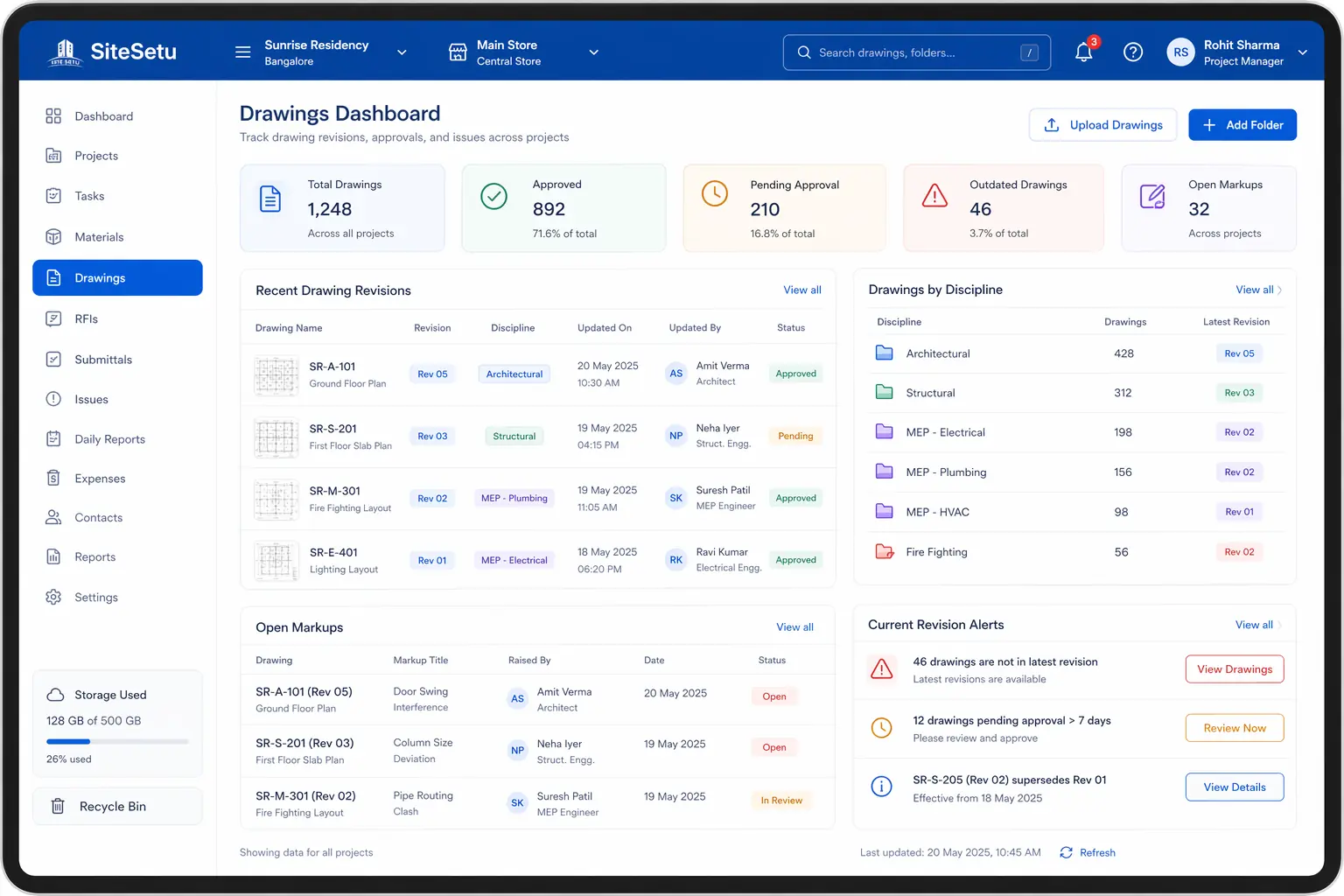
The Drawing Management Struggle
Drawing Management That Works
Built for construction where the right drawing at the right time prevents costly mistakes.
Centralized Repository
All project drawings in one place. Architects, engineers, and site teams access the same source of truth.
Revision Control
Track drawing revisions automatically. See revision history, compare versions, and ensure teams use the latest.
Mobile Viewing
View drawings on tablets and phones at the site. Zoom, pan, and navigate large drawings smoothly.
Annotations & Markup
Mark up drawings with comments, RFIs, and notes. Share annotations with your team for collaboration.
How It Works
Simple workflow from upload to site access.
Upload Drawings
Upload drawings from architects, consultants, or internal teams. Support for DWG, PDF, and images.
Organize & Tag
Organize by discipline, floor, or custom folders. Add tags for easy searching.
Manage Revisions
Upload new revisions as drawings are updated. Previous versions are archived automatically.
Share with Team
Share drawings with site teams, contractors, and consultants. Control who sees what.
View on Site
Site team views latest drawings on mobile. Annotate, comment, and raise RFIs directly.
Feature Deep Dive
Complete drawing management for construction sites.
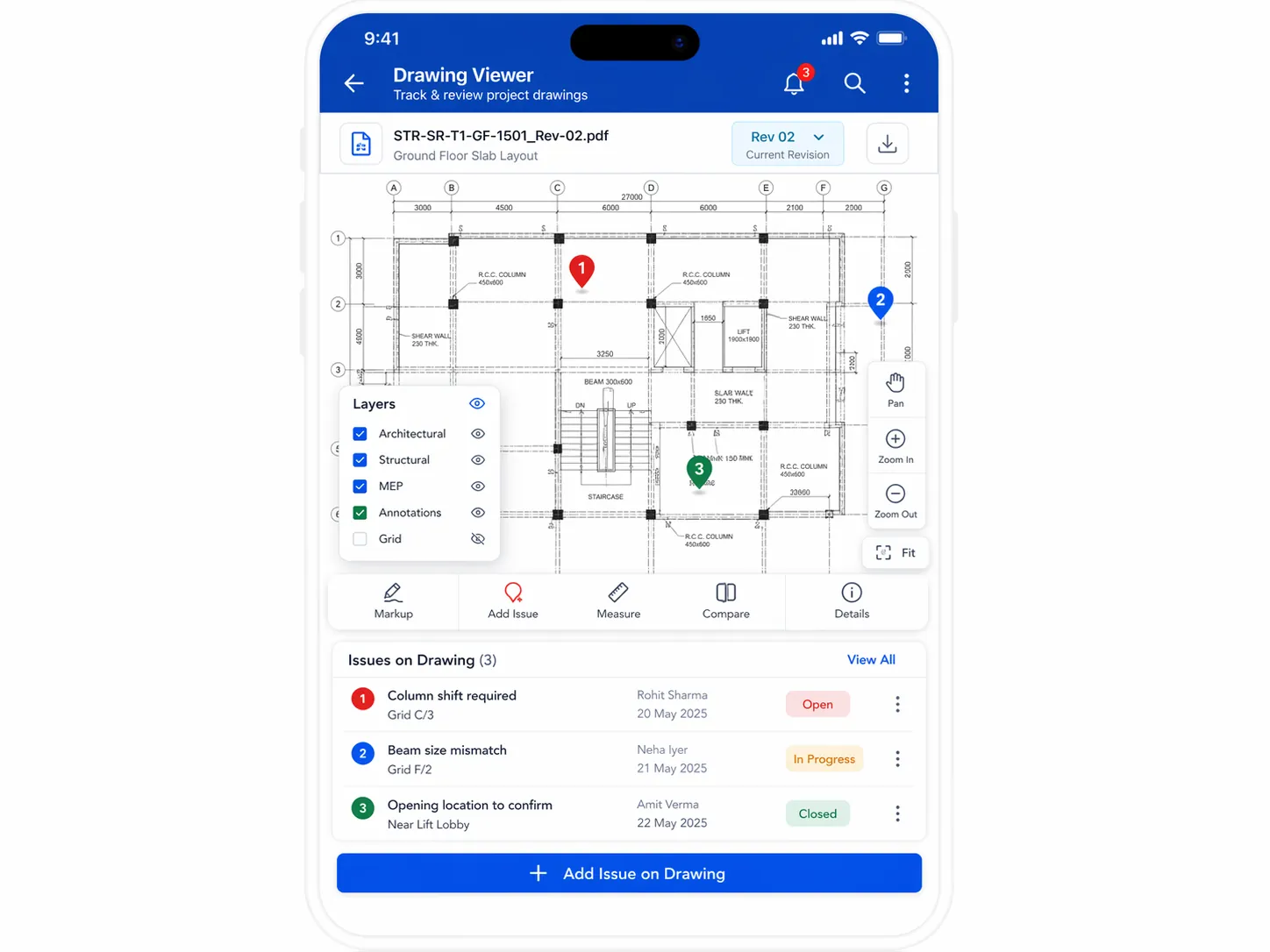
Drawing Viewer
View DWG, PDF, and image files directly in the app. Smooth navigation for large architectural and structural drawings.
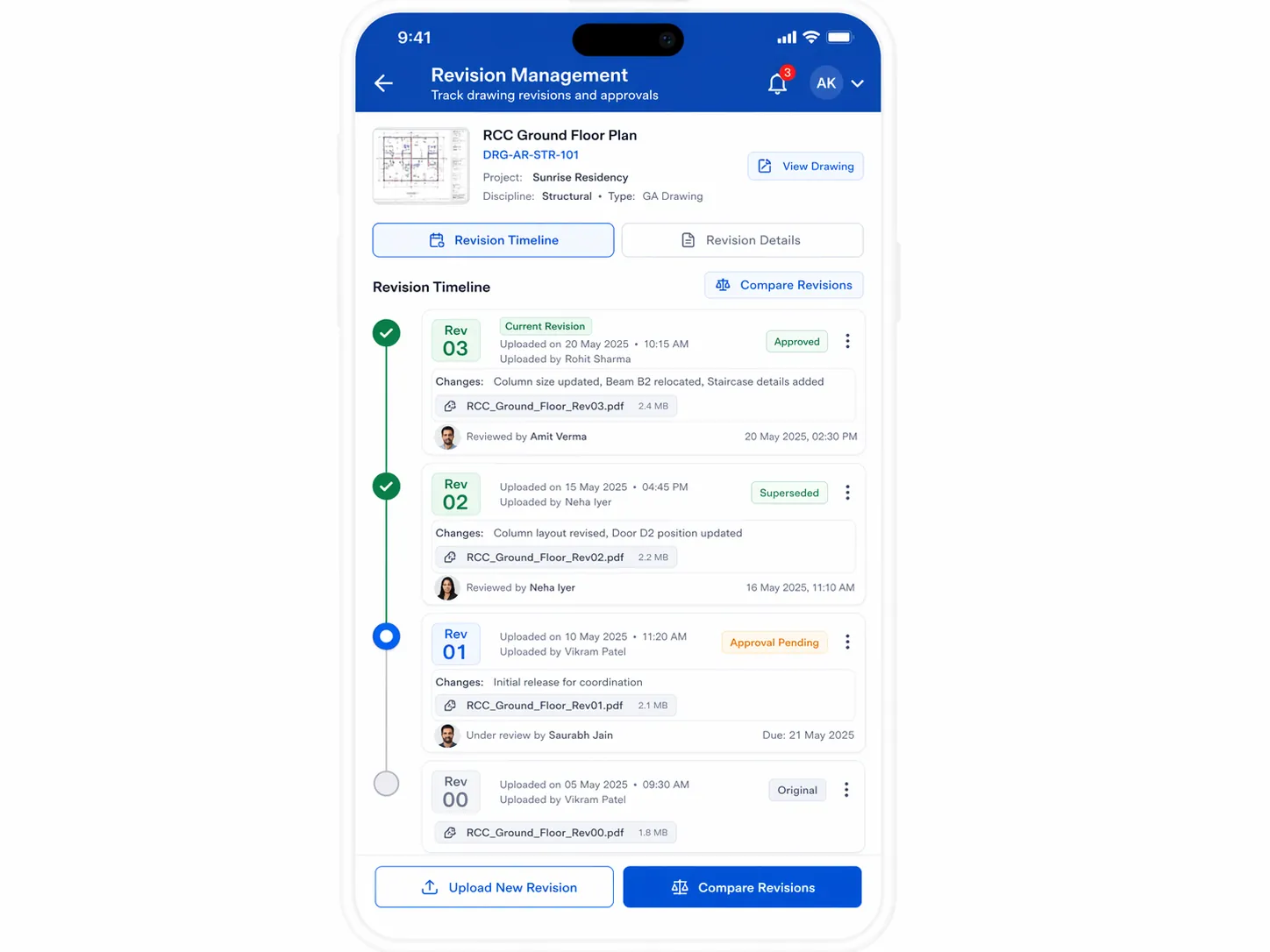
Revision Management
Upload new revisions and track changes. See who uploaded what revision and when. Alert teams to updates.
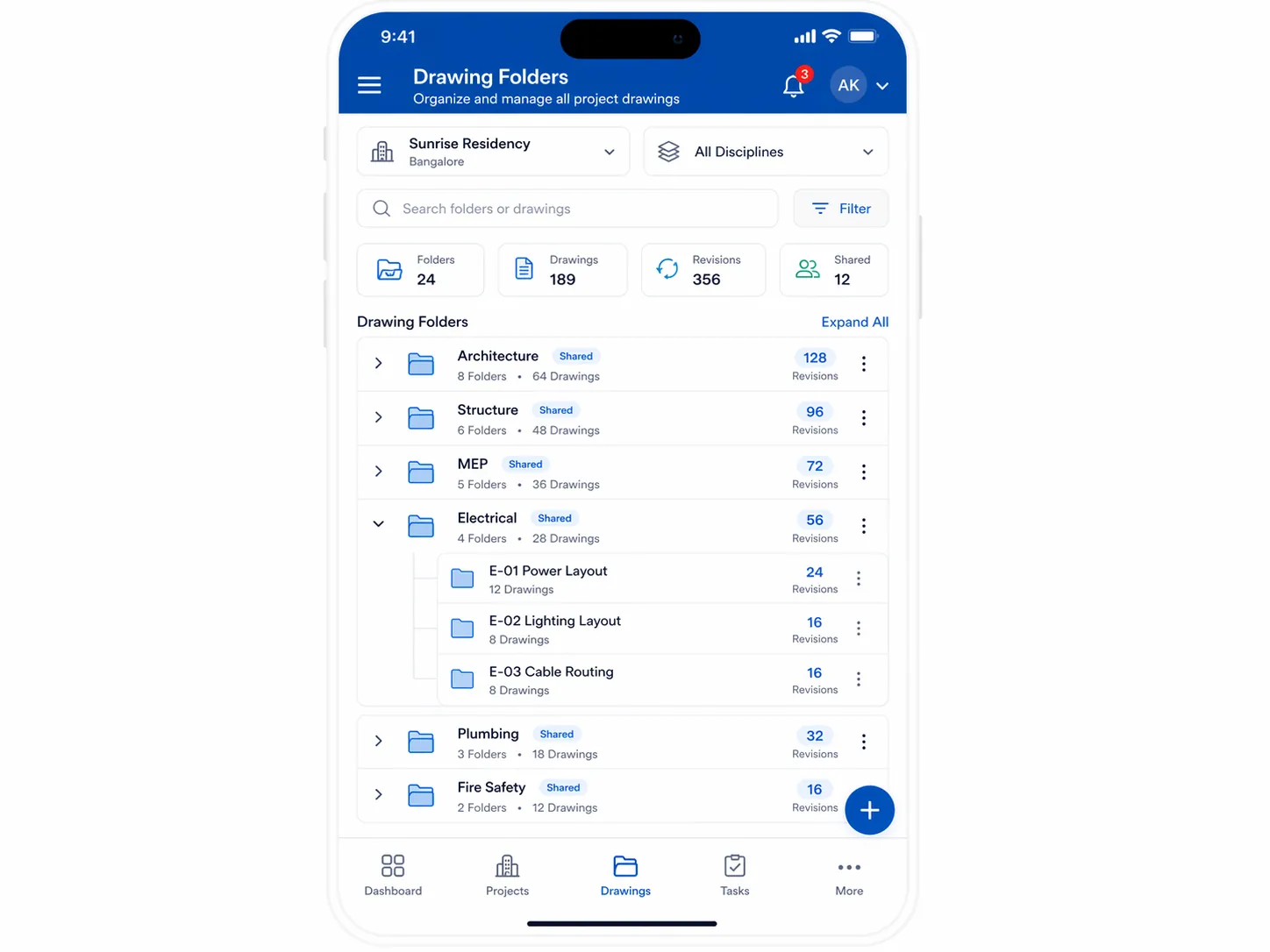
Folder Organization
Organize drawings by discipline, floor, or any structure that works for your project. Quick search and filtering.
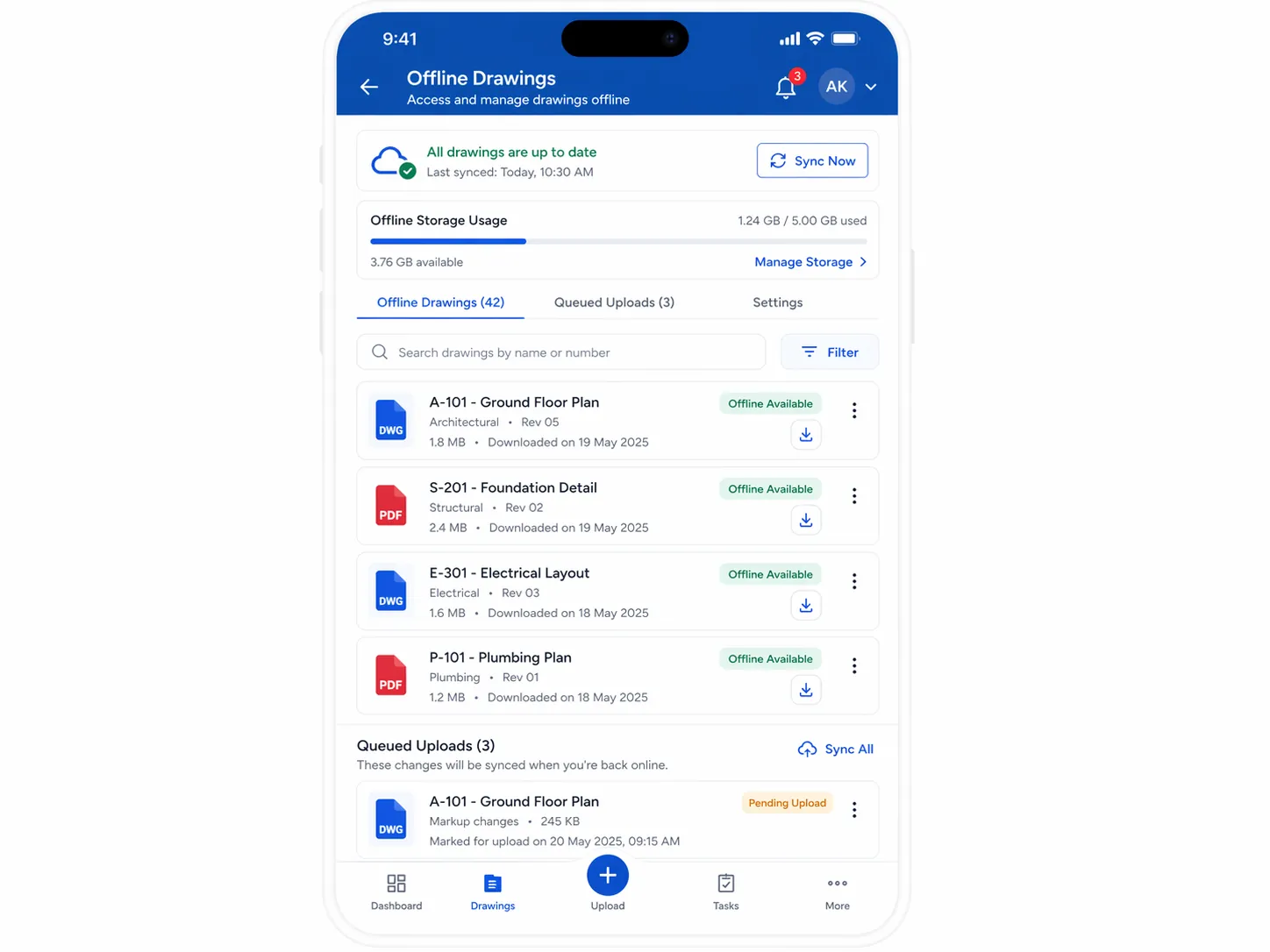
Offline Access
Download drawings for offline viewing. Access critical drawings even without network connectivity on site.
Supported Drawing Types
Organize all your project drawings in one central repository.
Architectural
Floor plans, elevations, sections
Structural
RCC details, beam schedules
MEP
Electrical, plumbing, HVAC layouts
Shop Drawings
Fabrication and installation details
As-Built
Final construction records
Site Plans
Layout, grading, landscaping
Details
Junction details, sections
Schedules
Door, window, finish schedules
Explore Related Modules
Connect drawings with execution, quality, and equipment workflows.
Equipment Management
Track equipment usage, maintenance, and availability by site.
Explore Equipment ManagementQuality Management
Capture inspections and close quality issues with clear workflows.
Explore Quality ManagementConstruction Tools
Use calculators, file viewers, and markup tools in one place.
Explore Construction ToolsWBS & Task Management
Connect drawing revisions with schedule-driven site execution.
Explore WBS & Task ManagementDrawing Software FAQs
Use these answers when reviewing whether your current drawing process is still good enough.
What should construction drawing management software control?
It should control drawing uploads, revision history, folder or discipline structure, site access, annotations, and clear visibility into which sheet is current versus superseded.
Can site teams view the latest drawings on mobile?
Yes. Site Setu is designed for mobile and tablet access so engineers and supervisors can open current drawings on site instead of relying on forwarded PDFs or old print sets.
How does drawing software reduce rework?
It reduces rework by making the latest approved revision easier to find than older files. That improves version discipline, communication, and review traceability across consultants and site teams.
Should drawing control stay separate from task and quality workflows?
Usually no. Drawing control works better when tasks, markups, inspections, and closeout records can connect back to the same project context instead of being split across tools.
Related Guides
Strengthen this topic cluster with deeper guides on revision control and document governance.
Construction drawing management software guide
Review the operating model, features, and rollout considerations behind drawing control on Indian sites.
Open Construction drawing management software guideDrawing revision control software
Learn how revision numbering, superseded status, and site distribution reduce avoidable confusion.
Open Drawing revision control softwareConstruction document control system guide
Expand from drawing control into a broader document workflow for approvals, RFIs, and quality records.
Open Construction document control system guideCompare document-heavy construction workflows
Use comparison pages when your team is evaluating drawing and field-document control in the same shortlist.
Open Compare document-heavy construction workflowsEnd the Drawing Chaos
See how Site Setu can help you manage drawings across all your construction projects.