Daily progress report (DPR) software for Indian construction sites
Capture work done, labour, materials, equipment, photos, and blockers in one DPR workflow your engineers and project managers can use every day — typed, or spoken through Hindi and English voice typing on any phone.
What construction DPR software should actually handle
Daily reporting only works when it captures the field reality and gives the office context quickly.
Daily site updates in one format
Record work done, locations, labour deployed, materials consumed, equipment usage, and blockers without switching between registers and chats.
Photo-backed reporting
Attach photos and notes to the DPR so site and office teams can review what actually happened, not just a text summary sent at the end of the day.
Material and issue context
Tie updates to indents, GRNs, stock movement, and site requests so the daily report reflects real execution constraints.
Cleaner office handoff
Give project managers and leadership one clear daily view of progress, pending approvals, and risks instead of separate Excel files and WhatsApp follow-up.
Without a structured DPR workflow
- Daily reports are assembled late from calls, chats, photos, and paper notes.
- Labour, material, and equipment updates live in separate trackers with no common daily record.
- Blockers are noticed only in review meetings, not when the day is still recoverable.
- Office teams cannot tell whether low progress came from labour shortage, drawing delays, or missing material.
What teams get instead
- One DPR workflow for site engineers, supervisors, and office reviewers.
- Structured daily fields that stay consistent across projects and teams.
- Photo evidence and notes attached to the exact update, not lost in chat history.
- A clearer daily handoff into planning, procurement, billing, and follow-up.
If your team is still standardizing the format itself, start with the free DPR template and then move into software when you want reporting, follow-up, and visibility in one system.
What every DPR should capture
A good daily progress report is short enough to finish on site and structured enough to support review later.
- Activities completed with location details such as tower, floor, grid, or room.
- Labour deployment by trade, subcontractor, or crew.
- Material receipts, consumption, and stock-impact notes.
- Equipment and machinery usage with hours, breakdowns, or idle time.
- Site photos, remarks, delays, safety notes, and pending approvals.
- Tomorrow plan so the office sees what support is needed before the next shift starts.
How the workflow should run every day
The value comes from using the same daily reporting rhythm across site and office teams.
Plan work and assign locations
Start from your WBS or daily plan so the report ties back to actual work packages and site locations.
Capture progress from the field
Engineers and supervisors update completed work, labour, materials, and blockers while the information is still fresh.
Attach proof and remarks
Photos, notes, and issue references make the DPR useful for review, billing support, and problem solving.
Review and act the same day
Project managers can follow up on delays, pending drawings, and missing material before the next shift starts.
Can AI write your daily progress report?
Partly. In 2026, AI handles the words of a DPR — transcription, translation, clean drafting. The numbers still come from the field. Here is the honest split.
Voice typing that already works on site
Google's Gboard keyboard supports voice typing in Hindi plus eight other Indian languages (Bengali, Gujarati, Kannada, Malayalam, Marathi, Tamil, Telugu, Urdu). Any text field in any DPR app accepts it — a supervisor can speak the remarks column instead of typing it.
AI drafting for remarks and summaries
ChatGPT and similar tools turn a rough Hinglish site note into clean report language in seconds, and voice input is available even on ChatGPT's free mobile tier. Use it for the words, not the numbers — and have an engineer read the draft before it goes to the office.
Built-in AI in construction tools
Internationally, Procore's AI daily log agent converts field photos, notes, and audio into structured logs, Raken offers voice-to-text daily reports, and Buildertrend has voice dictation in daily logs. In India, Trackovo markets per-activity voice notes with Hinglish support. Reported pricing for most sits behind sales calls.
What AI cannot do for a DPR
No model knows how many masons were on the slab today or how much cement the chajja consumed. Labour counts, quantities, and hindrances must be entered from the field — and a spoken paragraph is not billing evidence. RA bills and measurement records need structured, location-tagged entries.
| Method | Speed on site | Structure for review | Billing and audit value |
|---|---|---|---|
| WhatsApp thread | Fast in the moment | None — photos and counts scatter across chats | Weak; evidence is hard to retrieve later |
| Excel at night | Slow; assembled hours after the work | Good columns, but no photo link | Usable, arrives late and depends on memory |
| AI-drafted prose (ChatGPT) | Fast once notes exist | Reads well; numbers are unverified | Weak; prose is not measurement evidence |
| Structured DPR software + voice typing | Fast — speak remarks, tap counts | Consistent fields across projects | Photo-backed, location-tagged daily record |
Where SiteSetu stands on AI DPR
SiteSetu does not auto-generate your DPR from a voice recording today. What it gives you is the structured half of the workflow: DPR fields for labour, materials, equipment, photos, and blockers that accept Hindi and English voice typing from your phone keyboard, tied to work locations — a record clean enough to support measurement-book and billing evidence. Draft your remarks with AI if you like — our tested ChatGPT prompts for civil and billing engineers cover DPR summaries — and if you are choosing between AI-first tools, see the honest comparison of AI construction software in India.
What teams usually connect next
DPR reporting becomes more useful when it links to planning, material flow, and current drawings.
WBS and task management
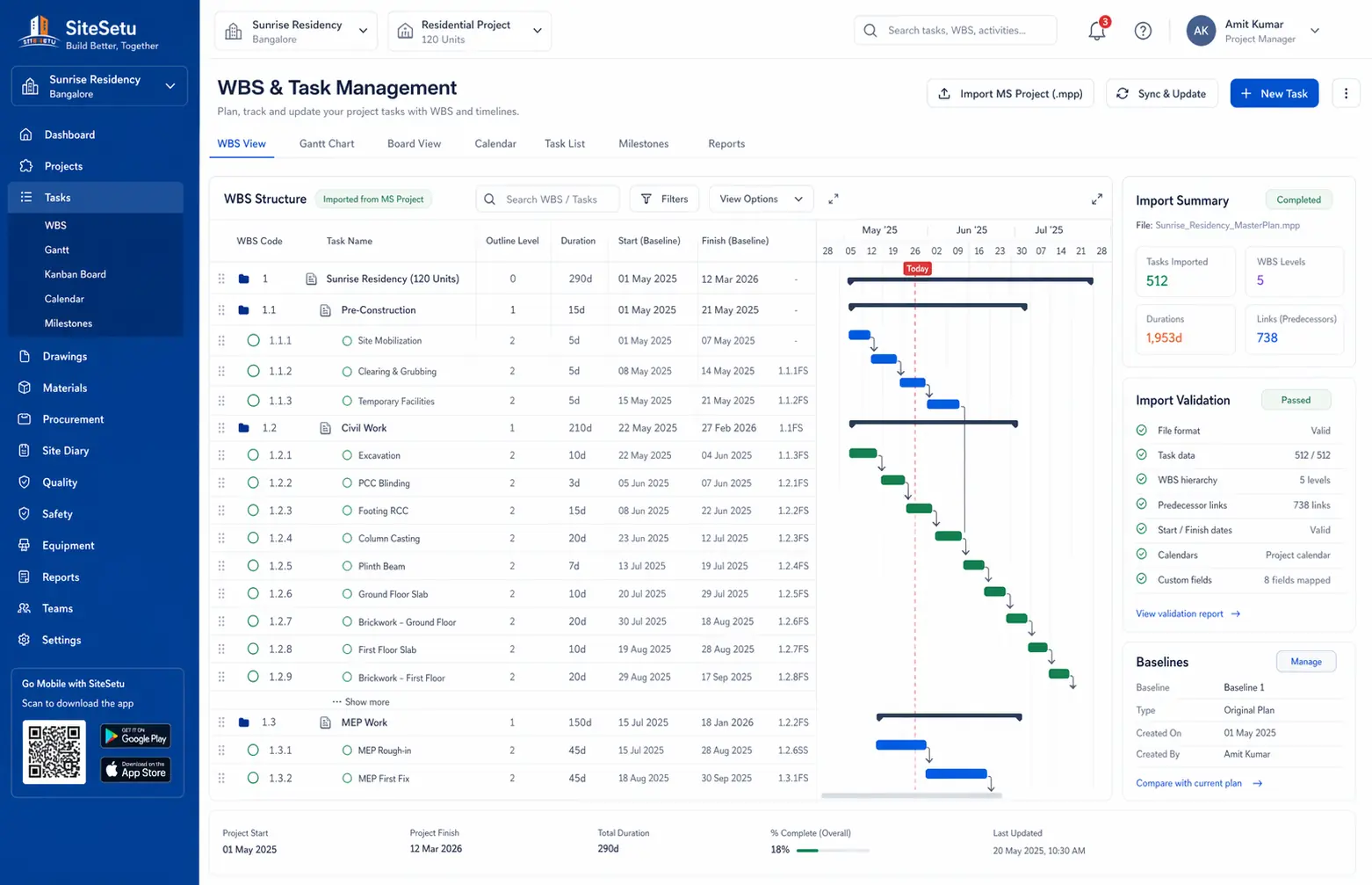
Connect the DPR to planned work, dependencies, and location-wise task ownership.
Open pageInventory and procurement
Track whether material delays, receipts, or stock issues are affecting today’s progress.
Open pageDrawing management
Keep drawing revisions and daily site notes in one system when design changes affect execution.
Open pageFree DPR template
Download a DPR format first if your team wants to standardize the report before moving into software.
Open pageRead the next page that fits your rollout
Use these pages to pressure-test whether your DPR process should stay as a template or move into a connected app workflow.
Construction management app overview
See how DPR fits into a broader site-and-office workflow instead of living as a standalone report.
Open pageConstruction progress tracking software
Read how teams move from patchy updates to daily progress visibility across projects.
Open pageDPR format guide and free template
Review the exact daily report fields, sample structure, and free Excel format before you digitize the workflow.
Open pageProject scheduling guide
Connect daily reports back to a working schedule with milestones, lookaheads, and delay tracking.
Open pageWorkforce management guide
Track manpower deployment across sites so the labour count on the DPR matches reality.
Open pageDaily wage tracking guide
Record attendance and wages alongside the daily report instead of in a separate notebook.
Open pageOvertime calculation guide
Calculate overtime correctly from the daily attendance data your DPR already captures.
Open pageDPR software FAQs
Short, direct answers to the questions site and office teams ask before changing how the daily report is made.
What should construction daily progress report software capture?
It should capture activities completed, work locations, labour deployment, material usage, equipment activity, blockers, photos, remarks, and the next-day plan in one structured daily workflow.
Why is DPR software better than WhatsApp and Excel?
WhatsApp is fast but hard to review later, and Excel usually becomes a late-night reporting task. DPR software keeps updates structured, searchable, and easier for both site and office teams to act on the same day.
Who should use DPR software on a construction project?
Site engineers, supervisors, project managers, contractors, and office reviewers all benefit because the daily report becomes the shared record for execution, follow-up, and support decisions.
Can Site Setu connect DPR reporting with other workflows?
Yes. The DPR workflow can sit alongside tasks, inventory, procurement, drawings, quality checks, and other daily operating records so teams do not have to maintain separate systems.
Can AI generate a construction DPR automatically?
Only partly. AI can transcribe what an engineer says, clean up rough notes into report language, and some international tools convert photos and audio into draft logs. But AI cannot know your labour count, material consumption, or hindrances — those come from the field, and an engineer should review any AI draft before it becomes the official record.
What is voice DPR?
Voice DPR means filling the daily progress report by speaking instead of typing — through phone keyboard voice typing (Gboard supports Hindi and eight other Indian languages), voice notes transcribed by AI, or speech features built into some construction apps. It speeds up remarks and notes; quantities and counts still need structured entry.
Does SiteSetu auto-generate DPRs from voice recordings?
No. SiteSetu gives you the structured half of the workflow: DPR fields for labour, materials, equipment, photos, and blockers that accept voice typing in Hindi or English from your phone keyboard, tied to locations and photos. You can draft remarks with your own AI tool; the numbers stay in fields your project manager can audit.
Run daily reporting without the end-of-day scramble
Book a demo to see how Site Setu can connect DPR reporting with tasks, materials, drawings, and follow-up across your live projects.