Construction quality control software for inspections, NCRs, and snag closure
Run activity-wise checklists, capture photo evidence, raise NCRs, close snags, and keep a searchable quality trail from site inspection to handover.
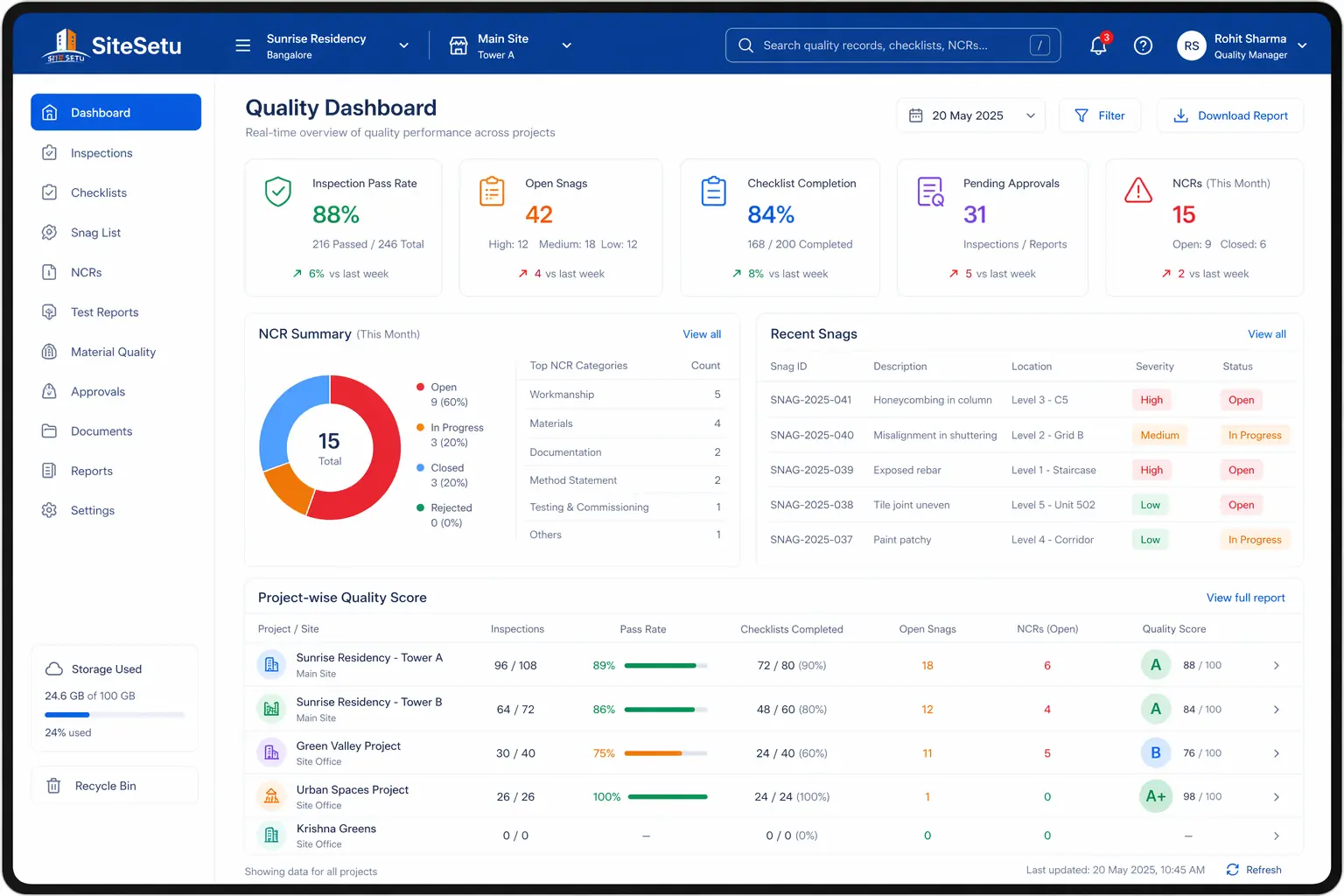
Quality records matter after handover
RERA Section 14(3) creates a five-year defect-liability window for structural, workmanship, quality, and service defects brought to the promoter's notice after possession.
RERA Act, 2016Rework is often an information problem
Autodesk/FMI reported that poor project data and miscommunication were responsible for 48% of rework in a U.S. construction survey.
Autodesk/FMI Construction DisconnectedBad data has a real cost
A later Autodesk/FMI data study estimated that bad construction data may have cost the global industry $1.85 trillion in 2020.
Autodesk/FMI data studyWhy teams switch
Paper checklists catch defects late and hide repeat patterns
Quality checks are marked complete on paper, but photos and signatures are not tied to the exact location.
NCRs, snags, and punch-list items sit in separate trackers, so repeat defects are hard to spot.
Waterproofing, RCC, MEP, and finishing checks are missed because hold points are not visible in the daily workflow.
Closure evidence gets buried in WhatsApp, making handover, billing, and defect-liability reviews harder than they should be.
What improves
A better workflow turns quality evidence into daily control
Activity-wise checklists and hold points that guide site engineers before work gets covered.
NCR and snag workflows with owner, due date, before photo, after photo, and verification status.
Inspection evidence linked to drawings, tasks, locations, and project records.
Weekly quality visibility for PMs and owners without retyping registers into Excel.
Quality control workflow for Indian sites
Keep the flow simple enough for site engineers, but structured enough for PMs, owners, consultants, and handover records.
Plan the inspection gate
Define the checklist, location, approved drawing, acceptance criteria, and hold point before the work starts.
Capture field evidence
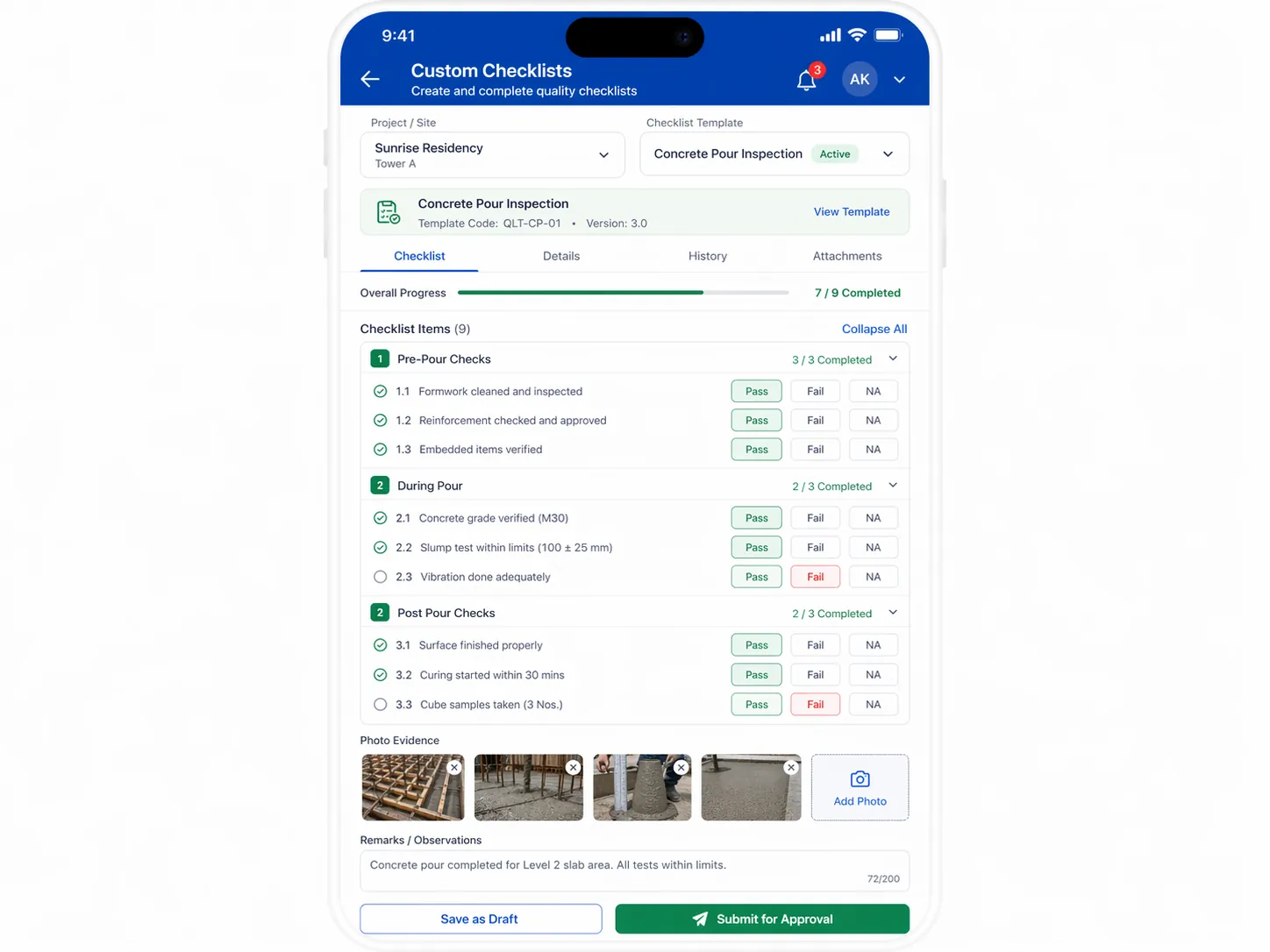
Record pass/fail checks, photos, notes, test reports, and signatures from the site while the work is still visible.
Raise NCRs or snags
Assign defects to the right contractor or trade with severity, due date, and required closure proof.
Verify and close
Close items only after corrective action, after-photos, and the required engineer or consultant approval are captured.
Inspection templates to digitize first
Start where the cost of missing a check is high: structural work, wet areas, concealed MEP, and handover defects.
RCC and structural checks
- Rebar spacing, cover blocks, laps, sleeves, and inserts
- Shuttering line, level, support, leakage risk, and pour readiness
- Slump, cube samples, pour photos, curing, and honeycombing follow-up
Waterproofing and wet areas
- Surface preparation, corner treatment, pipe sleeves, and product batch
- Coating or membrane coverage with photo evidence
- Ponding test start, end, leakage notes, and retest closure
Finishing and handover
- Tile hollowness, lippage, grout, slope, and shade checks
- Door, window, paint, electrical, and plumbing snag capture
- Trade-wise closure proof before client or buyer walkthroughs
Site Setu fit
Quality control works best when it connects to tasks and drawings
A checklist is useful only when it blocks the next risky step, assigns the responsible person, and keeps proof attached to the right location. Site Setu connects quality checks with daily work, drawings, field photos, and issue follow-up so the site team does not need a separate register for every defect.
Continue the quality-control cluster
Use these guides when you need a deeper workflow for QA/QC, non-conformances, and handover snags.
Quality management module
See the Site Setu module for checklists, approvals, NCR tracking, and reports.
Open guideConstruction quality management guide
Read the deeper QA/QC workflow guide with RCC, waterproofing, blockwork, and handover examples.
Open guideNCR management workflow
Use a formal non-conformance flow when work or material deviates from approved requirements.
Open guideSnag list app guide
Move finishing defects and punch-list items into a location-wise closure workflow.
Open guideInspection checklist software
Run planned, stage-wise inspections with digital checklists instead of paper QC files.
Open guidePunch list management
Track pre-handover defects room by room until every item is verified closed.
Open guideCAPA management guide
Go beyond closing individual NCRs — fix the root causes so the same defects stop repeating.
Open guideConcrete cube test guide (IS 516)
See sampling, curing, and acceptance criteria for compressive strength results on site.
Open guideConcrete mix design guide (IS 10262)
Understand how mix proportions are arrived at before approving design mixes for RCC work.
Open guideSoil testing guide
Know which soil tests matter before foundations start and how to read the reports.
Open guideWaterproofing guide
Get the systems, stage checks, and ponding tests right in the areas that cause the most complaints.
Open guideAnti-termite treatment guide (IS 6313)
Follow the stage-wise treatment and records required before slabs get cast.
Open guideProject closeout and handover
Plan the snag closure, documentation, and handover sequence for the end of the job.
Open guideSafety management software
Run permits, inductions, observations, and incident tracking alongside your QC workflow.
Open guideSafety observation app
Capture unsafe acts and conditions with photos and assign closure like any other site issue.
Open guideToolbox talk app
Record daily toolbox talks with topics, attendance, and photos for audit-ready safety records.
Open guideConstruction quality control software FAQs
Short answers for contractors and builders deciding what to digitize first.
What is construction quality control software?
It is software that helps site teams run inspections, checklists, hold points, NCRs, snag lists, photo evidence, approvals, and closure tracking in one workflow.
How is quality control software different from a snag list app?
A snag list app focuses mainly on defects and closeout. Quality control software also covers planned inspections, ITP hold points, test records, NCRs, approvals, and preventive action.
Which construction activities should be digitized first?
Start with high-risk or high-repeat activities: RCC pours, waterproofing, MEP rough-in, plaster, tile work, and handover snagging.
Can small contractors use quality control software without a QA department?
Yes. The first rollout can be simple: one checklist template, photo evidence, assigned corrective actions, and a weekly review of open defects.
Move quality control out of registers and into daily site execution
Site Setu helps Indian construction teams capture inspections, defects, approvals, and closure proof where the work actually happens.