Track Every Asset. Optimize Every Hour.
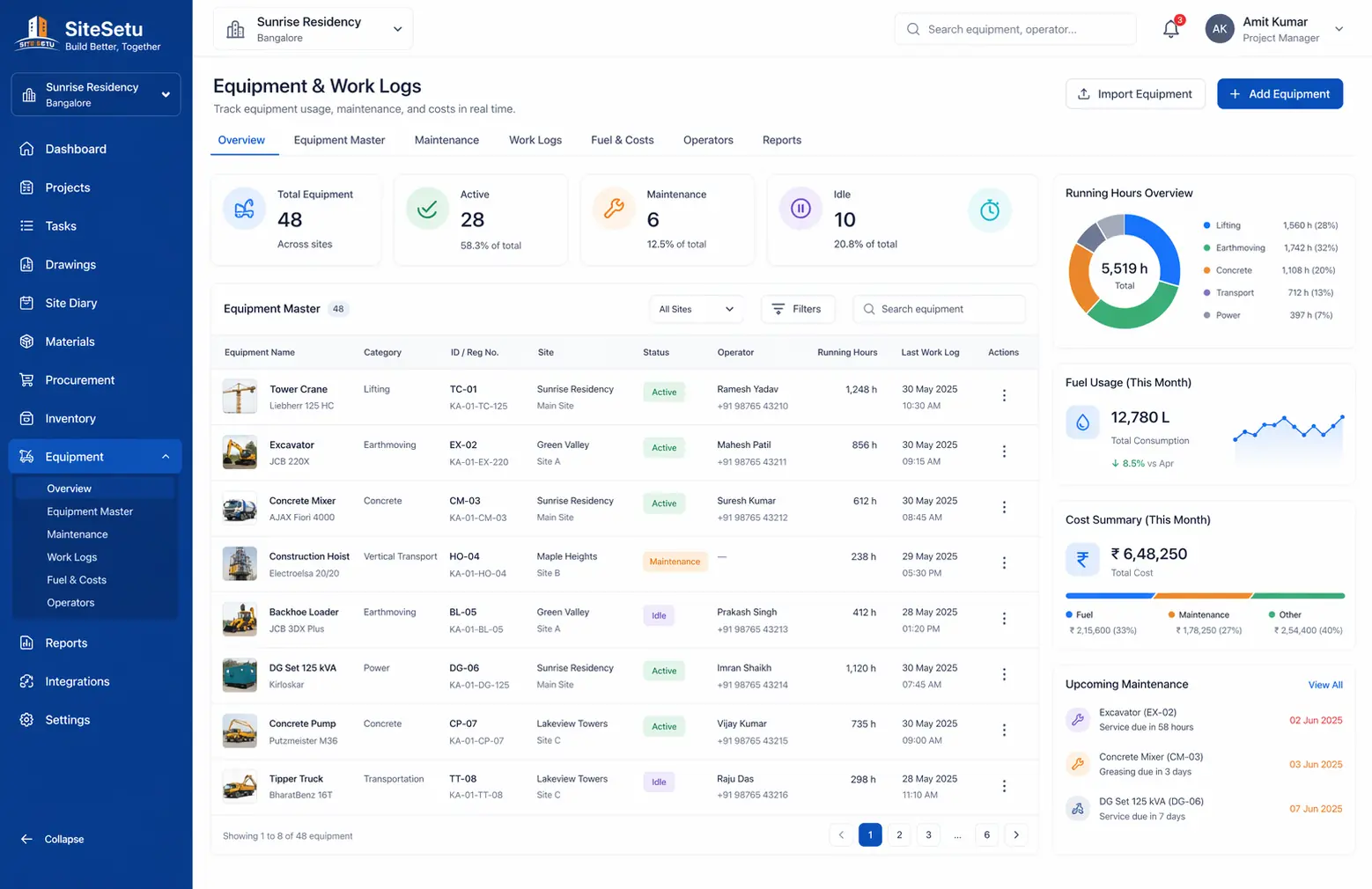
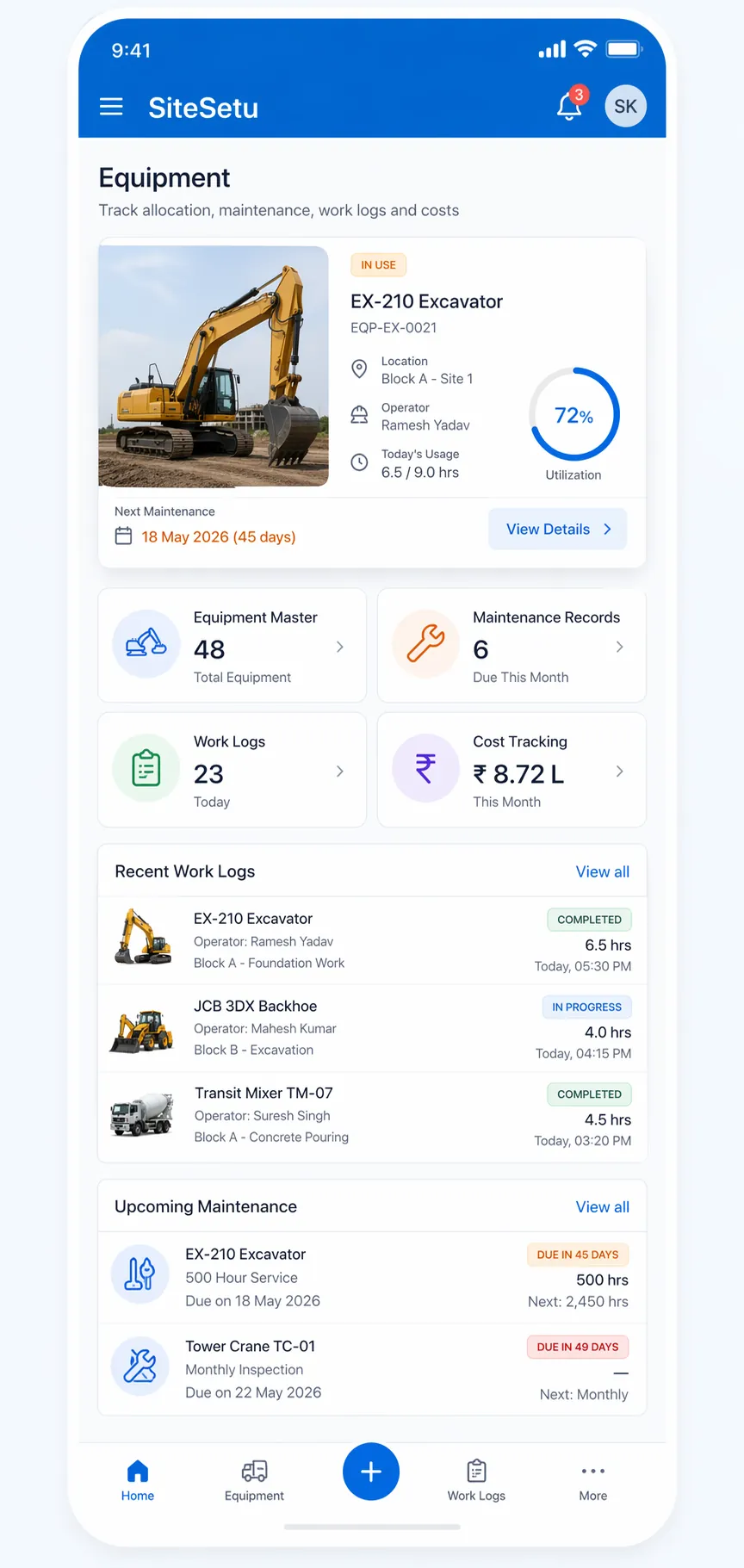
From excavators to generators, track all construction equipment with maintenance scheduling, work logs, and utilization reports. Know where every asset is and how it's performing.
Equipment Management Challenges
Complete Equipment Control
Track, maintain, and optimize all your construction equipment from one platform.
Equipment Tracking
Maintain complete equipment inventory with details like make, model, capacity, and acquisition date. Track location and assignment status.
Maintenance Scheduling
Schedule preventive maintenance and track service history for every asset.
Work Log Management
Record daily equipment usage with work logs. Track operator, shift, and hours worked.
Cost Visibility
Set hourly or rental rates and track calculated costs through work logs and maintenance records.
Manage All Equipment Types
From heavy machinery to hand tools, track every asset on your construction site.
Earth Moving
Excavators, Backhoe Loaders, Bulldozers, Motor Graders
Material Handling
Tower Cranes, Mobile Cranes, Forklifts, Hoists
Concrete Equipment
Transit Mixers, Concrete Pumps, Batching Plants, Vibrators
Compaction
Rollers, Plate Compactors, Rammers
Power & Lighting
Generators, Lighting Towers, Welding Machines
Other Equipment
Scaffolding, Formwork, Bar Bending Machines, Cutting Tools
How It Works
From equipment onboarding to daily operations and maintenance.
Add Equipment to System
Register all equipment with details like make, model, capacity, and documents. Upload photos and maintenance manuals.
Schedule Maintenance
Set up preventive maintenance schedules based on hours or calendar. Get alerts for upcoming service requirements.
Assign to Projects
Allocate equipment to specific projects or activities. Track movement across sites with handover documentation.
Log Daily Usage
Operators record daily work logs from mobile. Track hours, fuel consumption, and work performed.
Analyze Utilization
Review utilization reports to optimize equipment allocation. Identify idle assets and reduce rental costs.
Feature Deep Dive
Comprehensive equipment management capabilities.
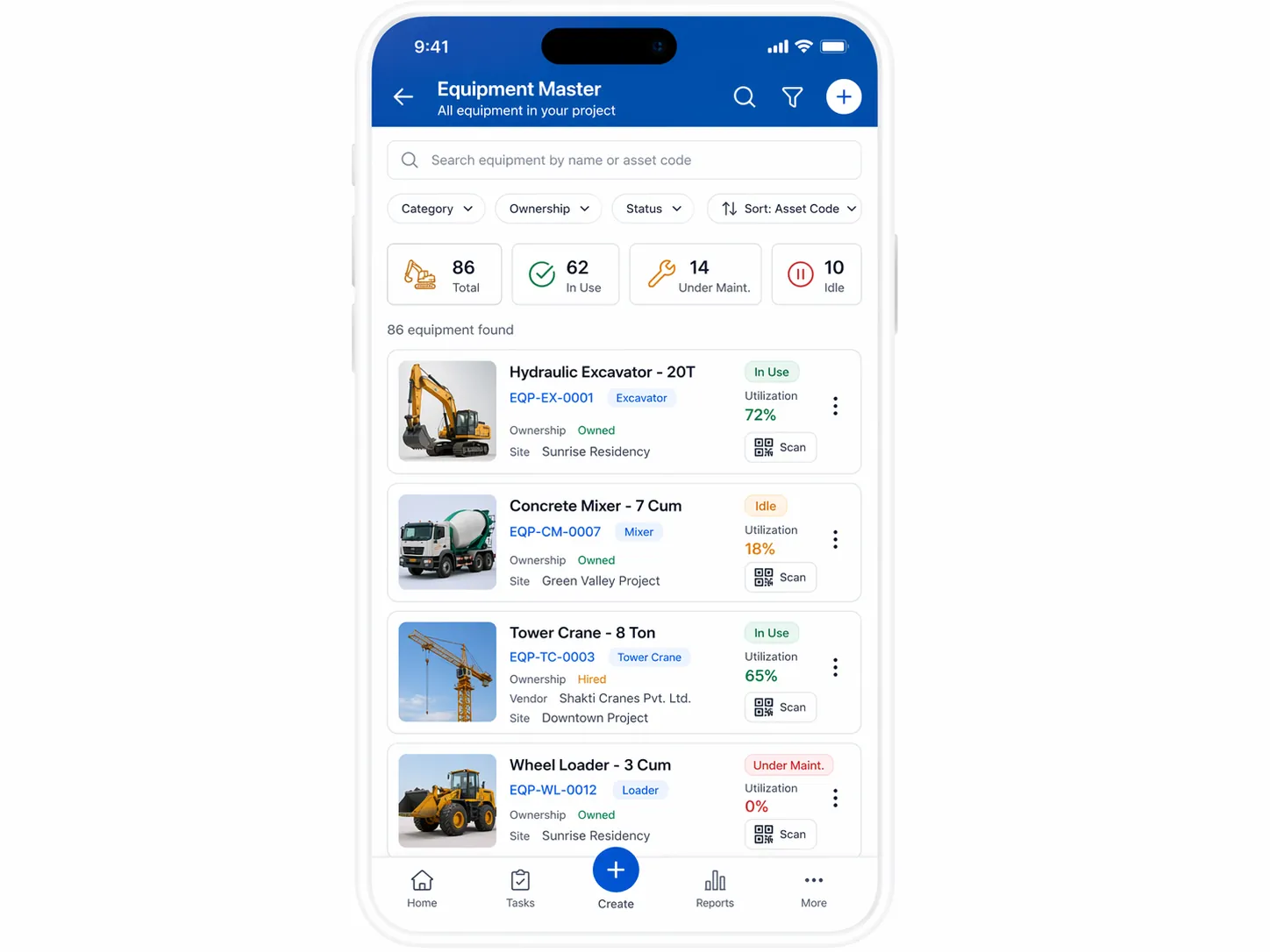
Equipment Master Data
Centralized equipment database with codes, ownership (owned/rented), specs, and attachments.
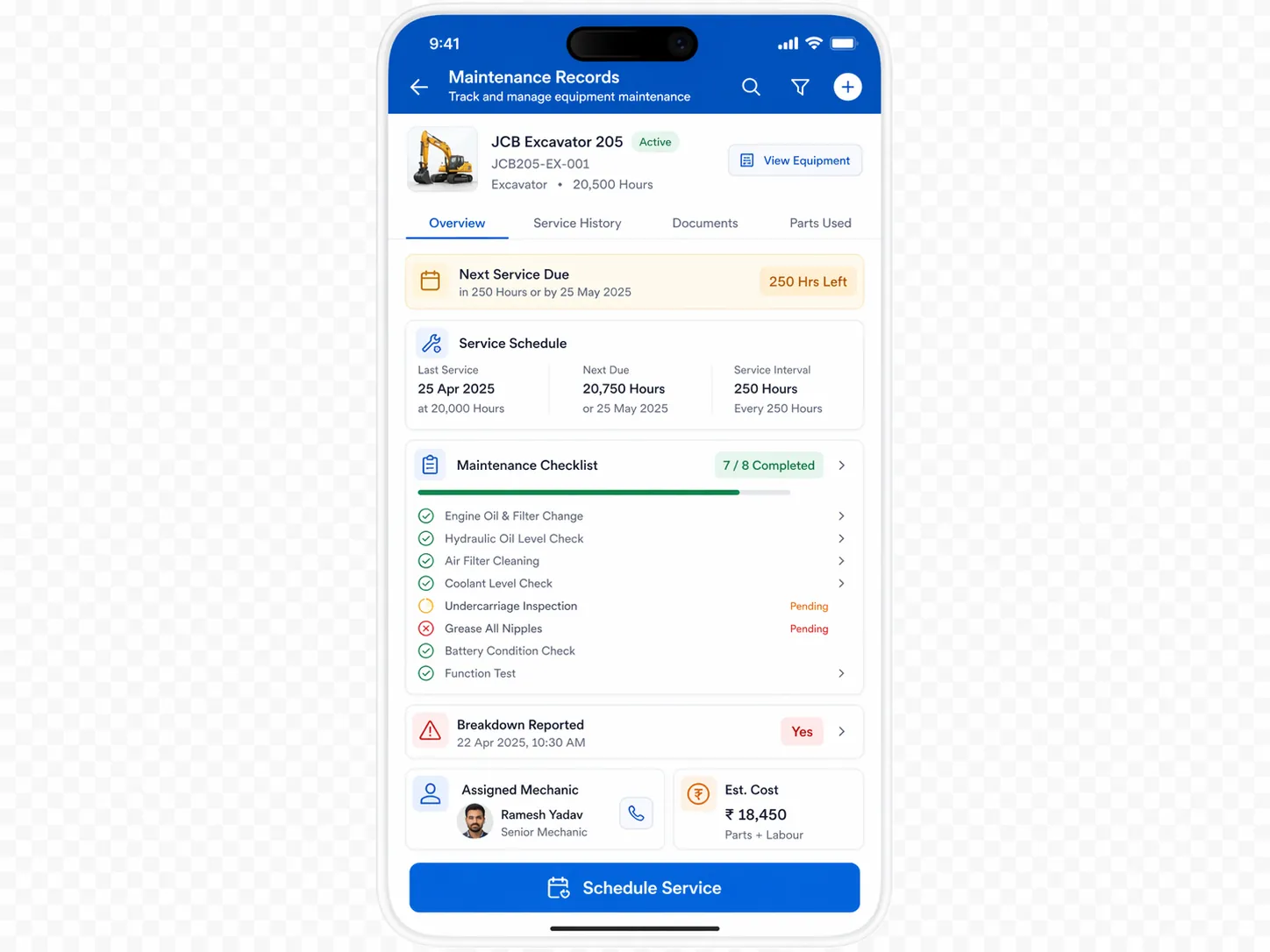
Maintenance Records
Create scheduled maintenance records, capture vendor details, and store service documents.
Daily Work Logs
Log operator name, shift, hours worked, task description, and location from the field.
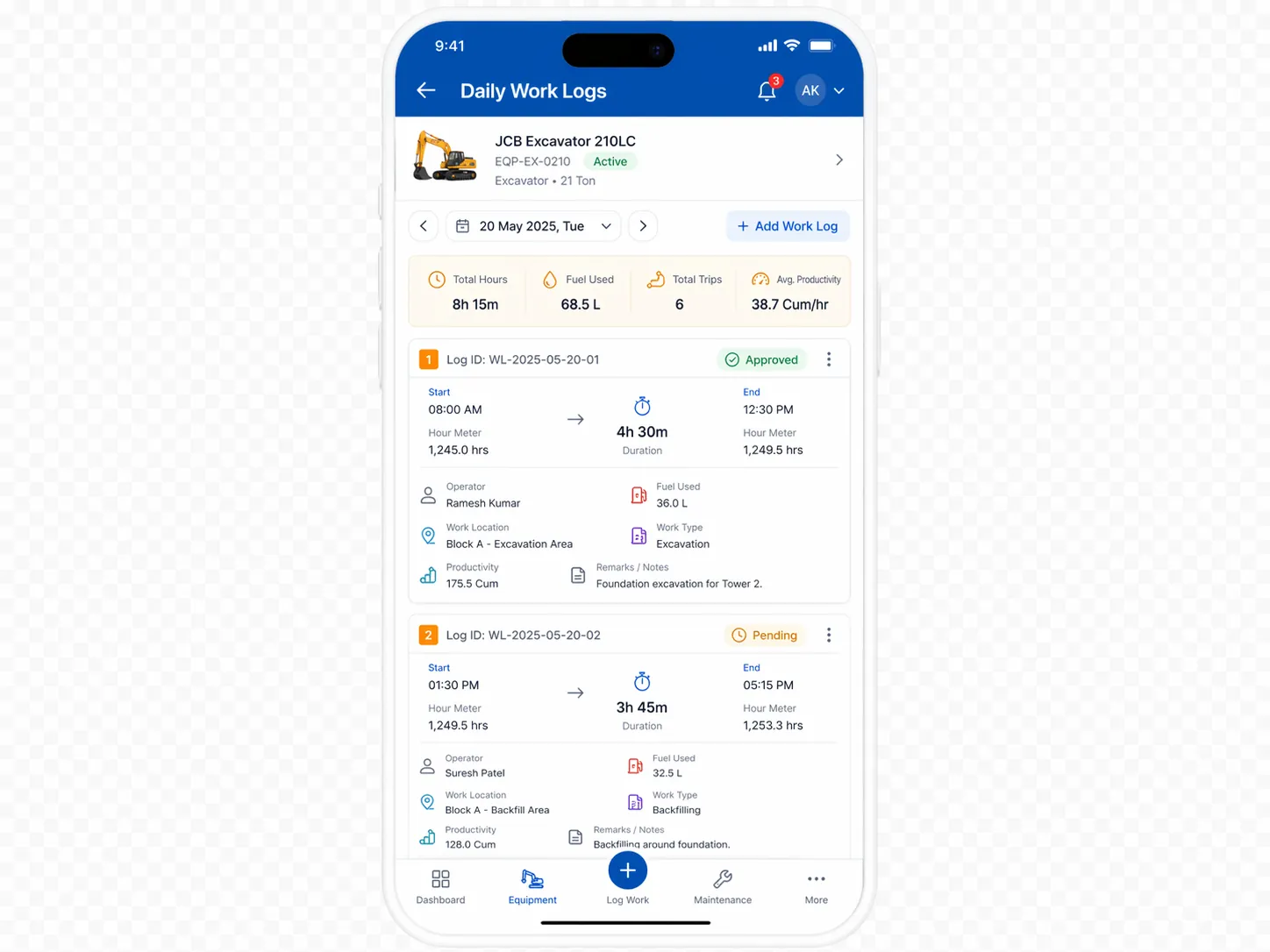
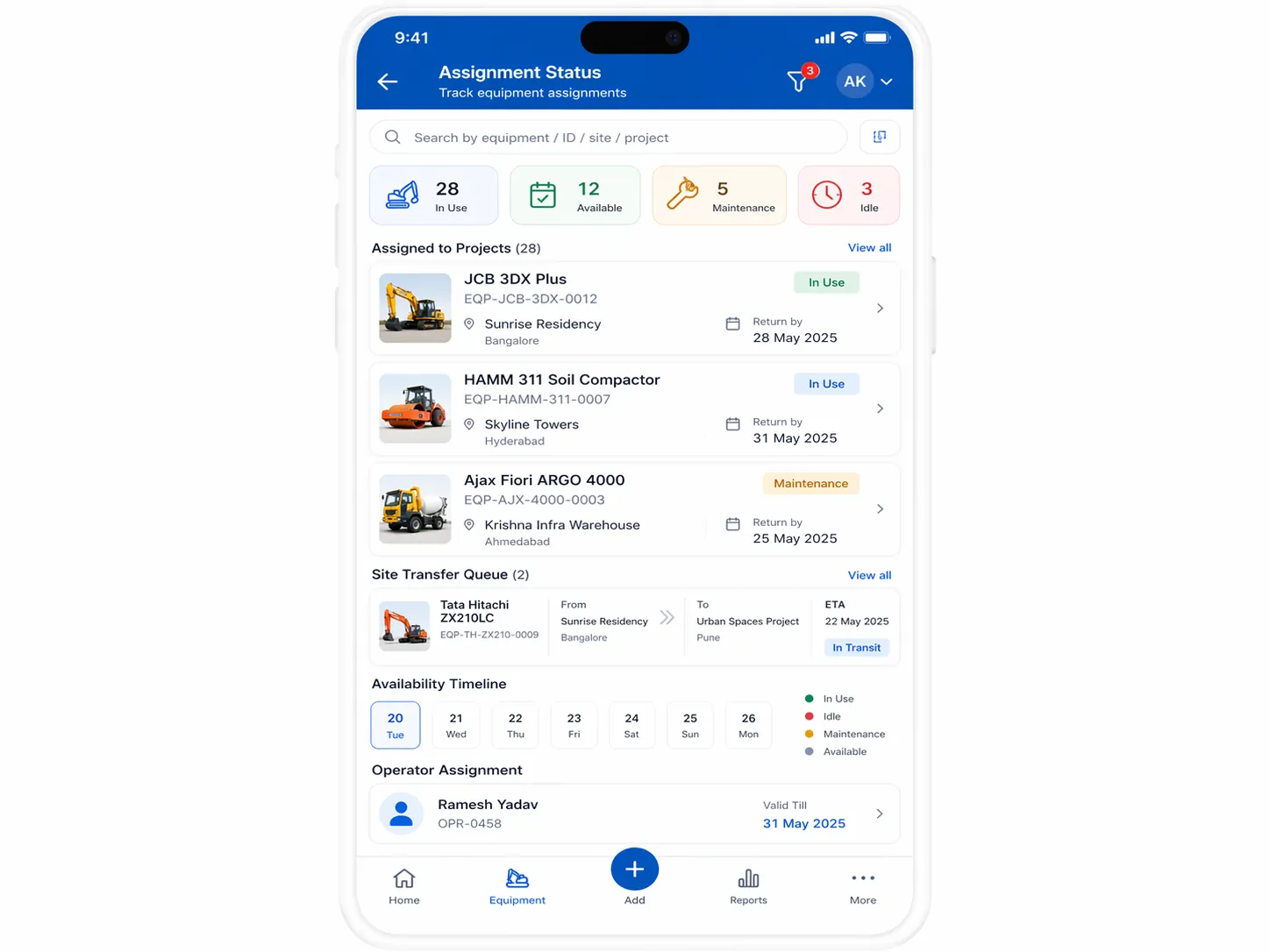
Assignment Status
Know which equipment is available or in use based on active work logs and assignments.
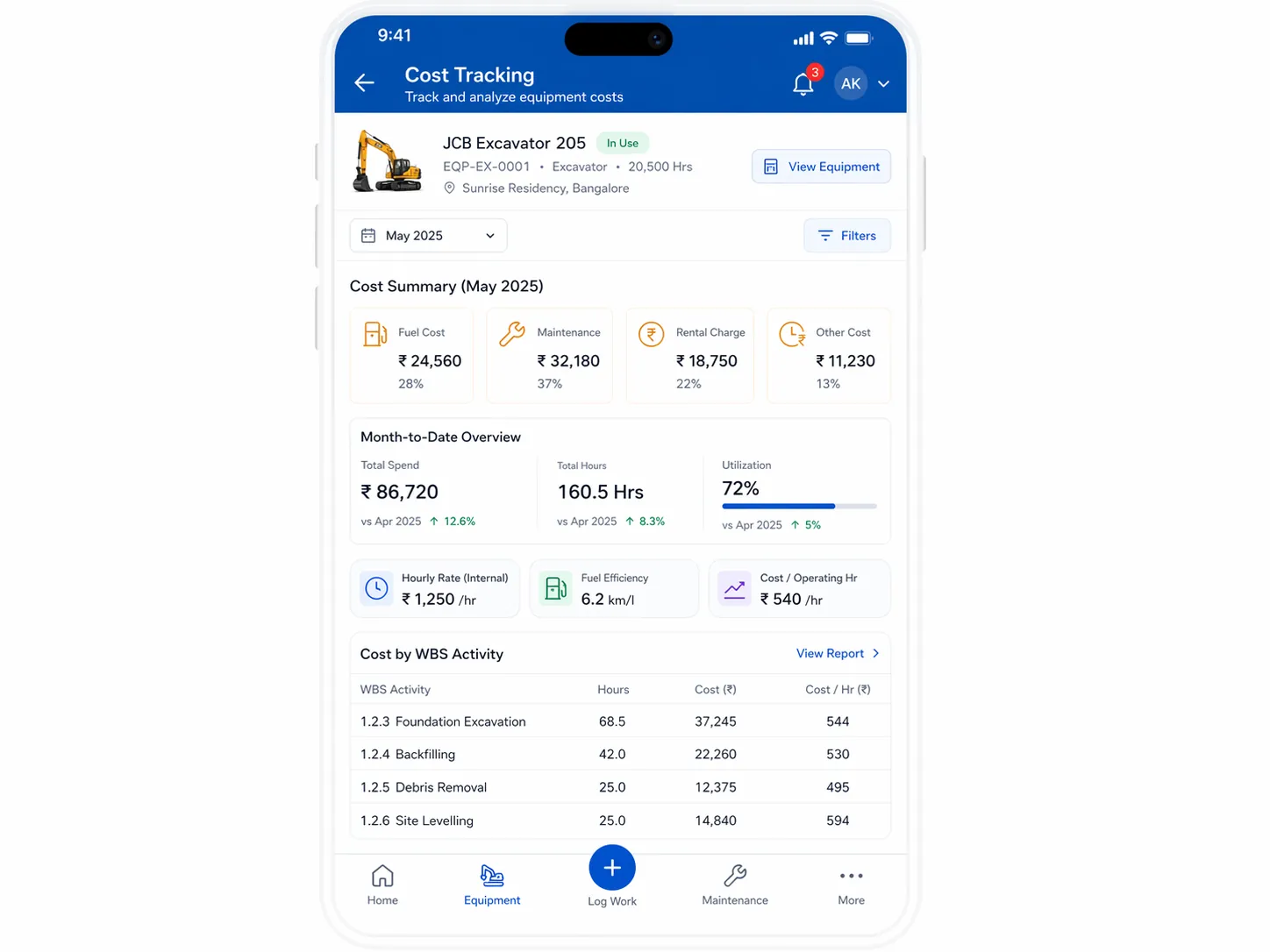
Cost Tracking
Track hourly/rental rates and calculate equipment costs tied to work logs and maintenance.
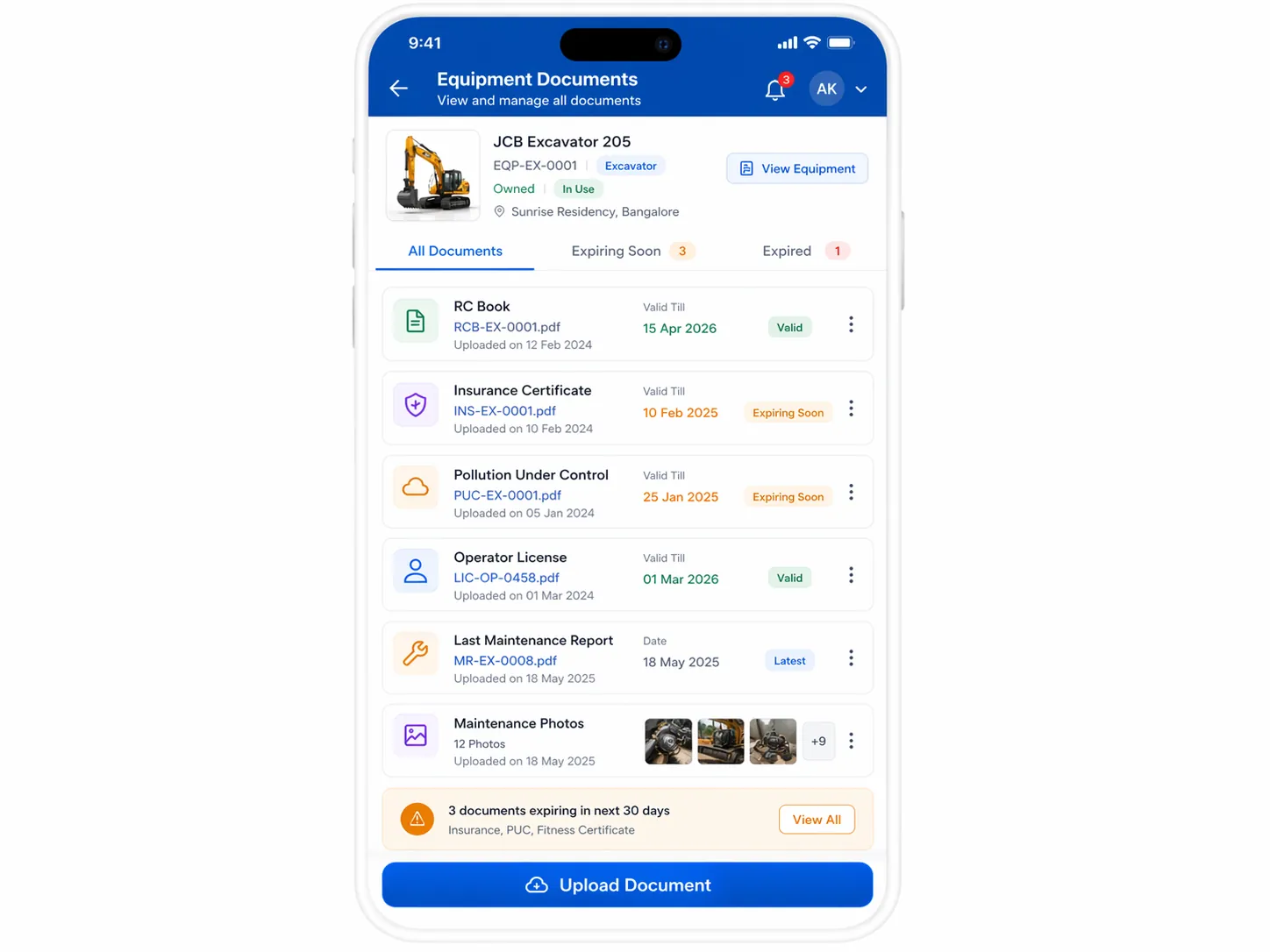
Attachments & Documents
Store service records, purchase receipts, and rental documents alongside each asset.
Connected Equipment Data
Equipment data stays visible alongside your other Site Setu modules.
+ WBS Tasks
Keep equipment work logs visible to teams tracking task progress.
+ LBS
Use consistent location references when reviewing equipment usage.
+ Expenses
Log fuel, maintenance, and rental costs with equipment context.
+ Files
Store equipment documents - purchase receipts, rental agreements, insurance papers, service records.
Equipment Management FAQs
Answers for teams tracking plant, machinery, and rental assets.
What equipment can Site Setu track?
It can track earthmoving equipment, cranes, mixers, generators, compactors, formwork assets, and other owned or rented construction equipment.
How does equipment maintenance tracking work?
Teams can schedule maintenance, record service history, and keep documents attached to each asset so breakdowns and servicing are easier to manage.
Can rented equipment be tracked separately?
Yes. The module supports ownership and rental context, so teams can see which assets are owned, rented, or currently assigned to a project.
Is the equipment module useful across multiple sites?
Yes. Site Setu is built for project-wise tracking, so utilization, work logs, and maintenance can be reviewed across active sites in one system.
Maximize Equipment ROI with Better Tracking
See how Site Setu can help you optimize equipment utilization, reduce maintenance costs, and improve asset visibility.