Every Contact. Every Lead. Organized.
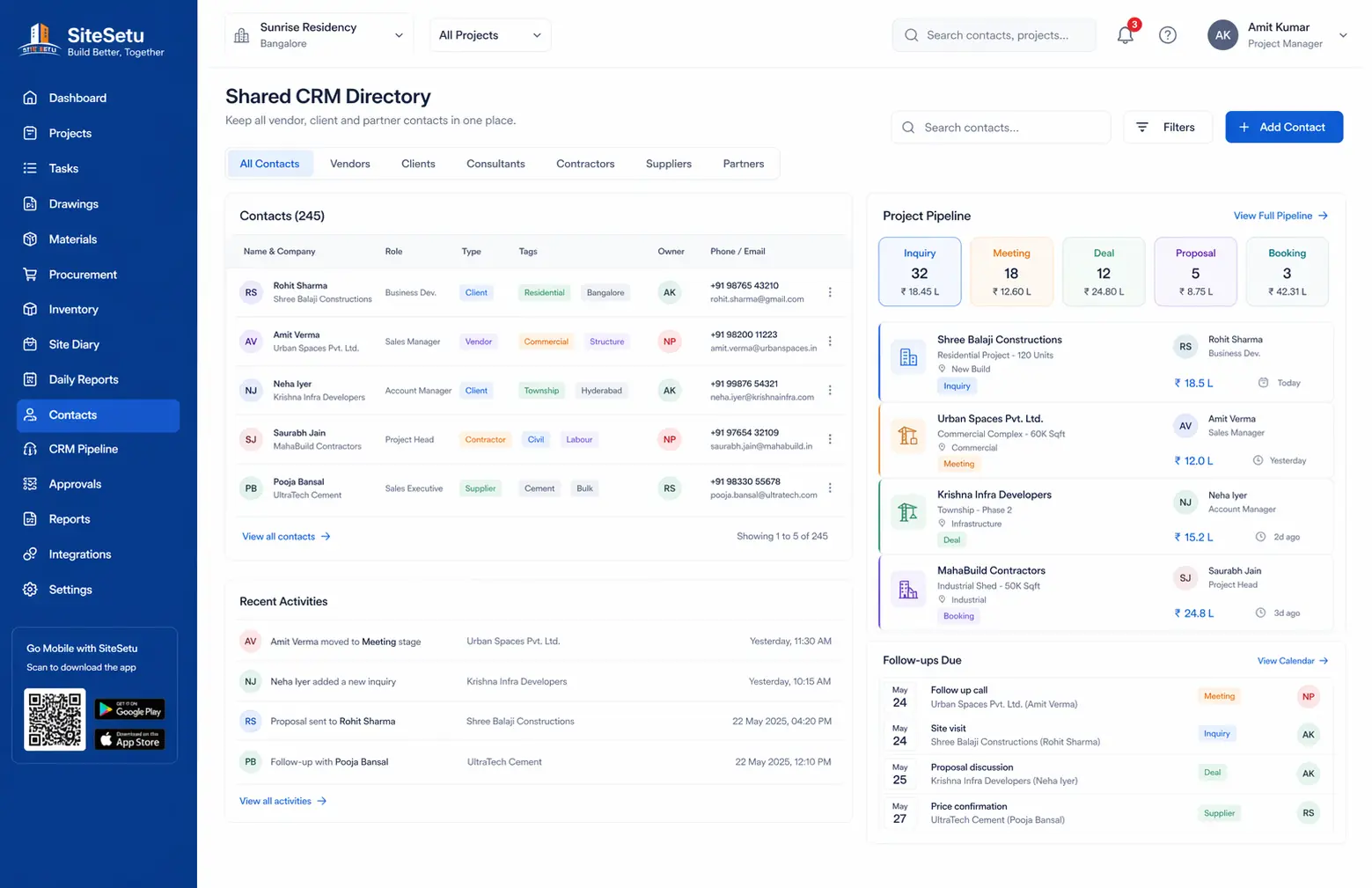
Organization-wide contact management with a simple stage pipeline. Reduce missed follow-ups and keep important relationships visible across the team.
Common CRM Challenges
Centralized Relationship Management
Keep all your business contacts and leads in one organized, accessible place.
Centralized Contact Database
Organization-wide contact directory accessible to all team members. Store client, vendor, consultant, and contractor contacts in one place.
Stage-Based Tracking
Track opportunities through a simple pipeline: inquiry → meeting → deal → booking. Keep context, notes, and history in one place.
Shared Ownership
Assign owners, add notes, and tag contacts so follow-ups don’t depend on one person’s phone or WhatsApp.
Organization Scoped
Contacts belong to your organization, not individual projects. Maintain relationships across multiple projects and business units.
Manage All Business Relationships
From clients to vendors, keep track of everyone you work with.
Clients
Property owners, developers, and project sponsors you work with
Vendors
Material suppliers, equipment rental companies, and service providers
Contractors
Subcontractors, labor contractors, and specialist contractors
Consultants
Architects, engineers, surveyors, and technical consultants
Authorities
Government officials, RERA contacts, and regulatory bodies
Others
Brokers, agents, and other business contacts
How It Works
From contact capture to lead conversion.
Add Contacts
Import existing contacts or add new ones manually. Capture complete details including company, role, and contact information.
Categorize & Tag
Organize contacts by type (client, vendor, consultant). Add custom tags for easy filtering and segmentation.
Move Through Stages
Track progress through inquiry → meeting → deal → booking with a clean, consistent workflow.
Add Notes & Context
Capture notes on meetings and calls so the next person has full context before following up.
Stay Aligned as a Team
Use tags, search, and ownership so follow-ups are consistent even when teams change.
Feature Deep Dive
Everything you need for effective contact and lead management.
Contact Management
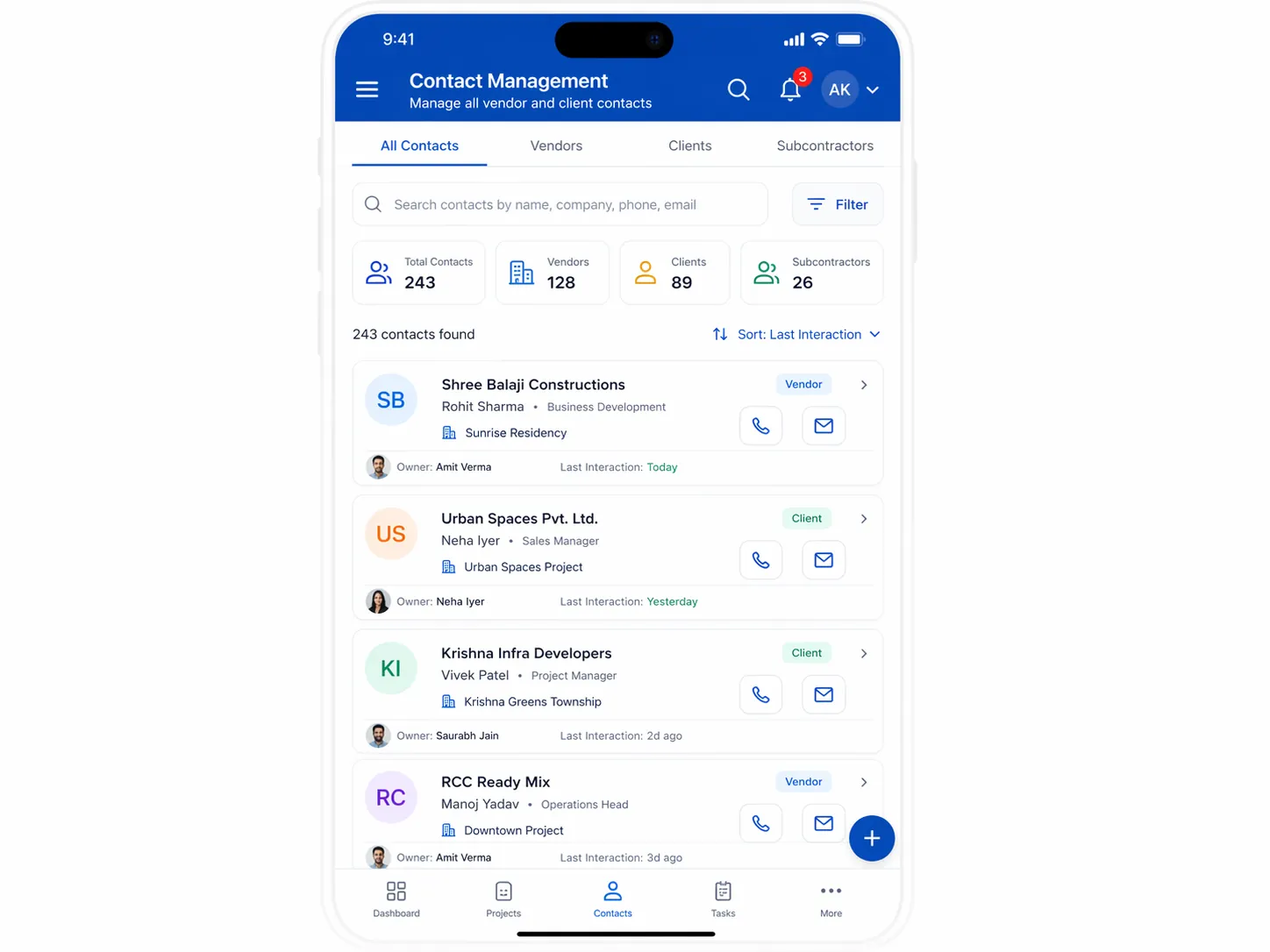
Store names, companies, phone numbers, emails, tags, and notes. Keep a clean directory your entire team can use.
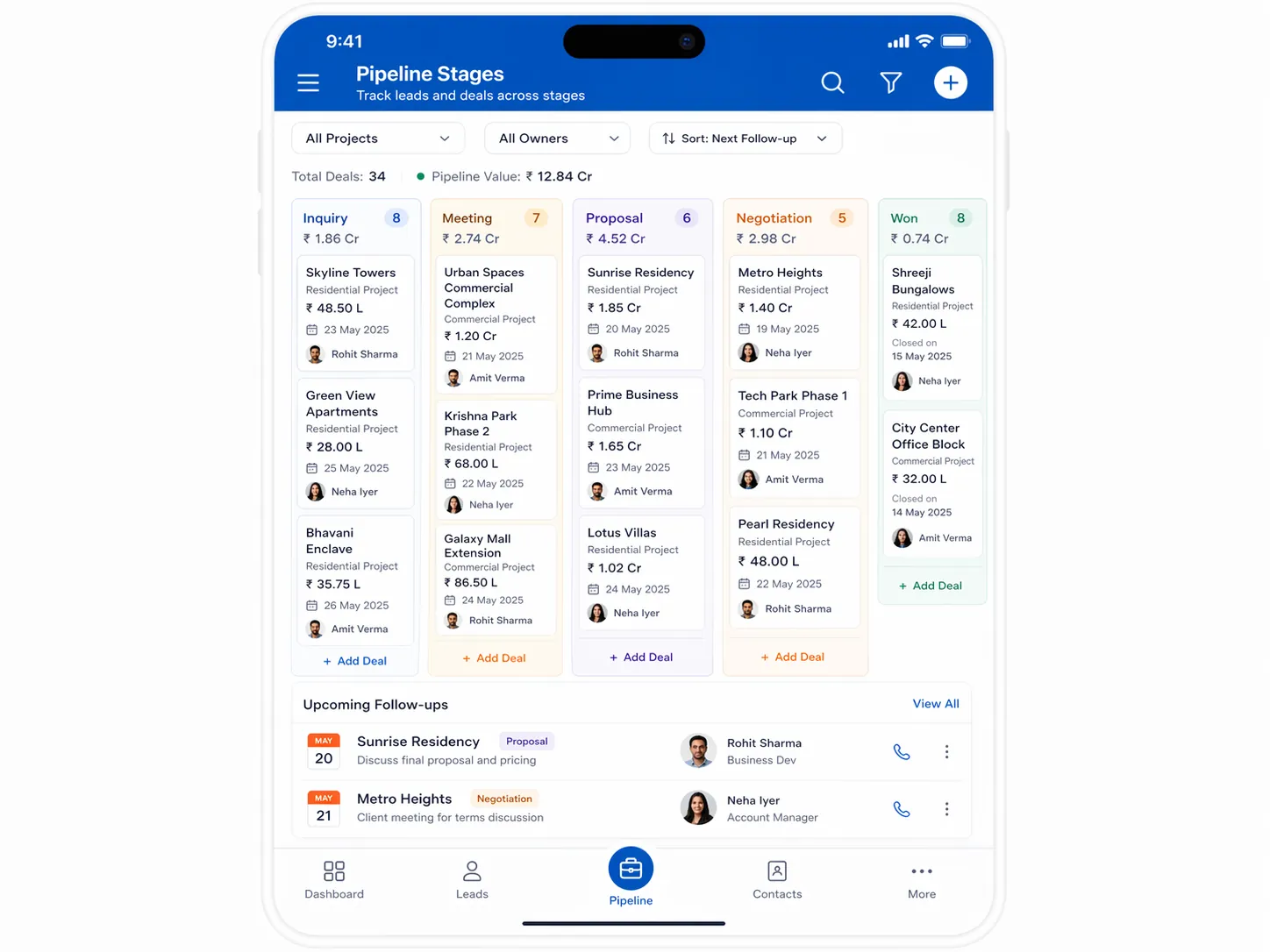
Pipeline Stages
Move contacts through inquiry → meeting → deal → booking. Every stage change is recorded for traceability.
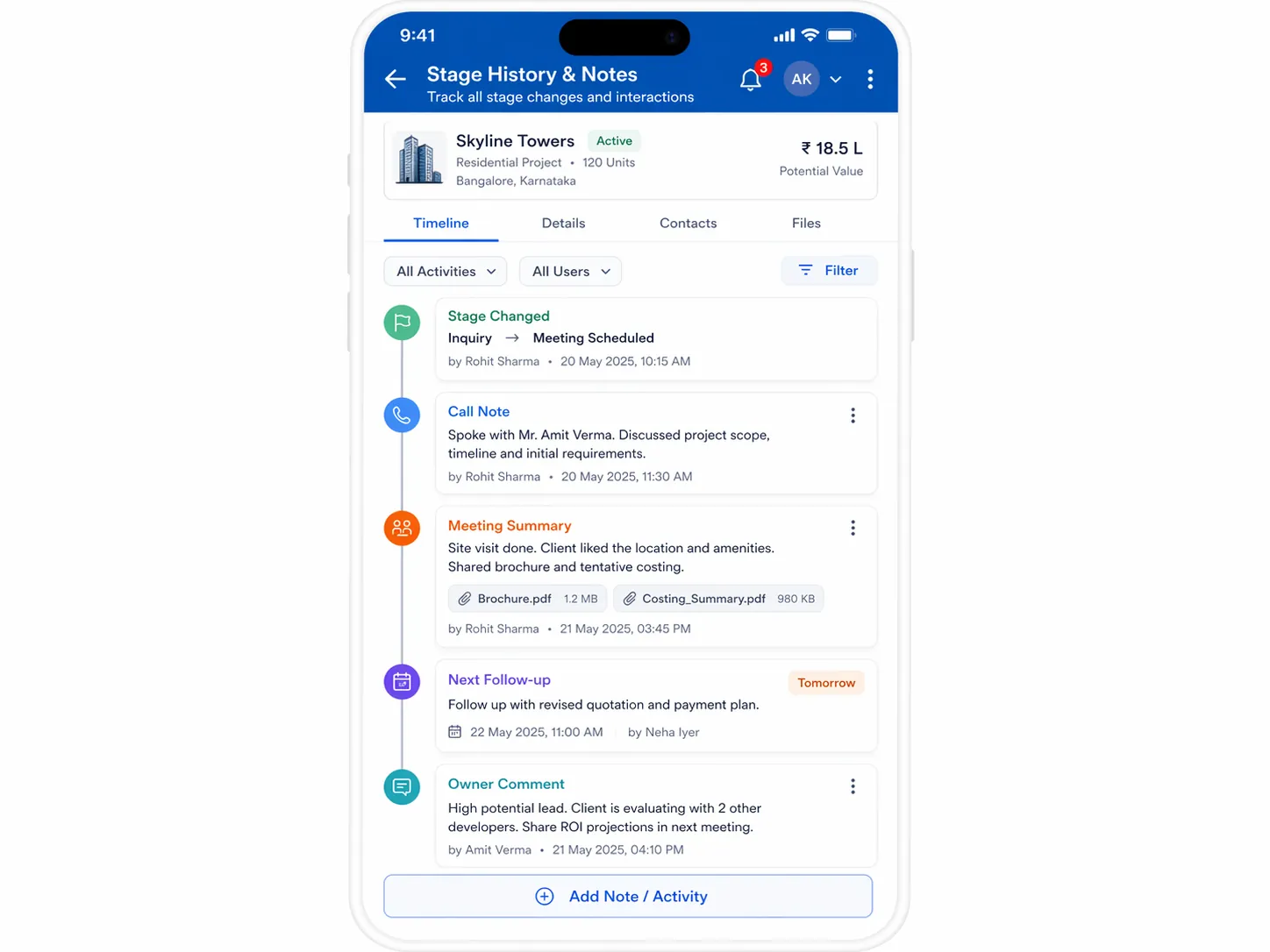
Stage History & Notes
Keep a timeline of stage changes with optional notes so anyone can understand the context before calling a client or vendor.
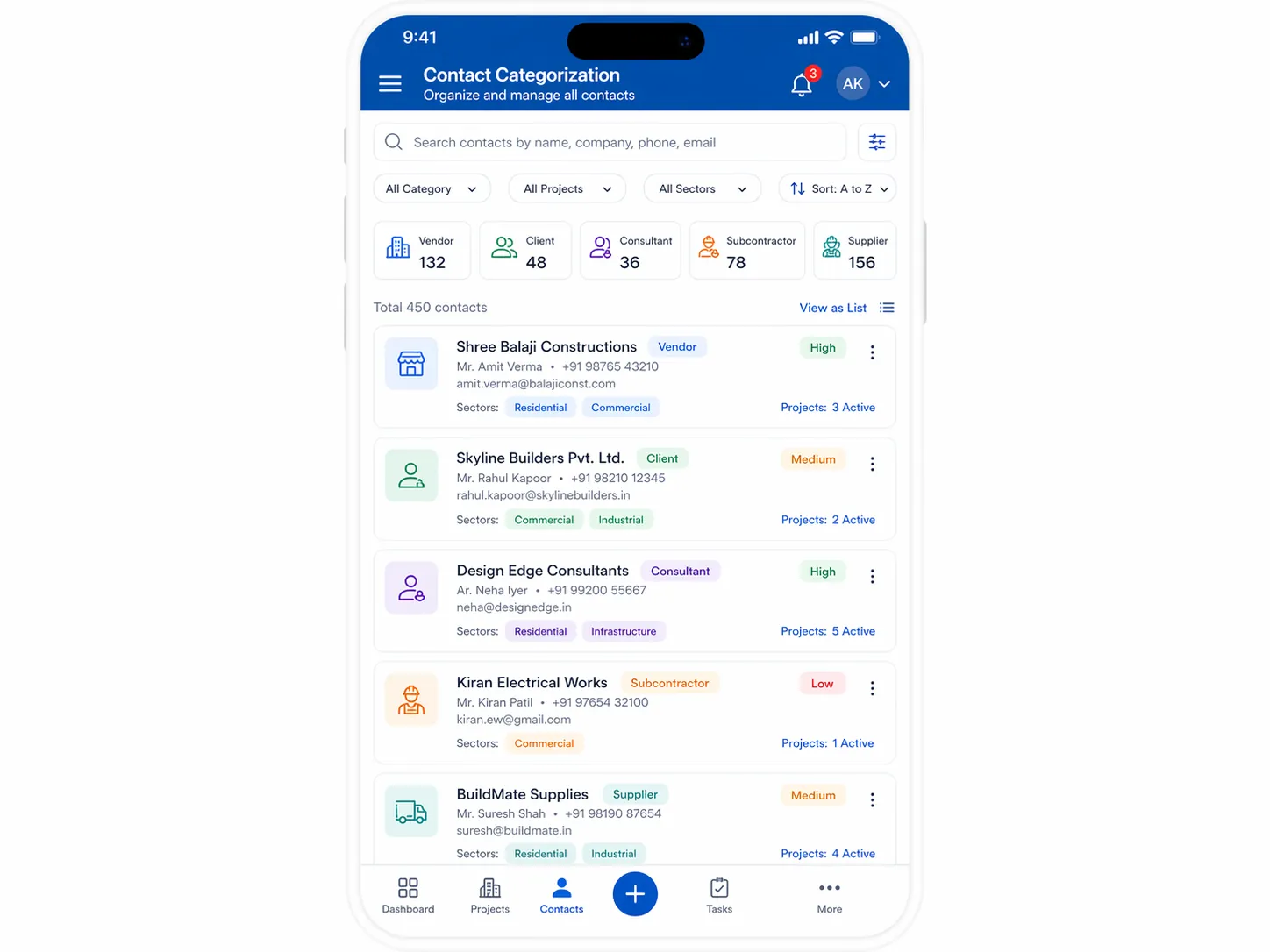
Contact Categorization
Use tags and filters to quickly find the right people—vendors, consultants, contractors, or client stakeholders.
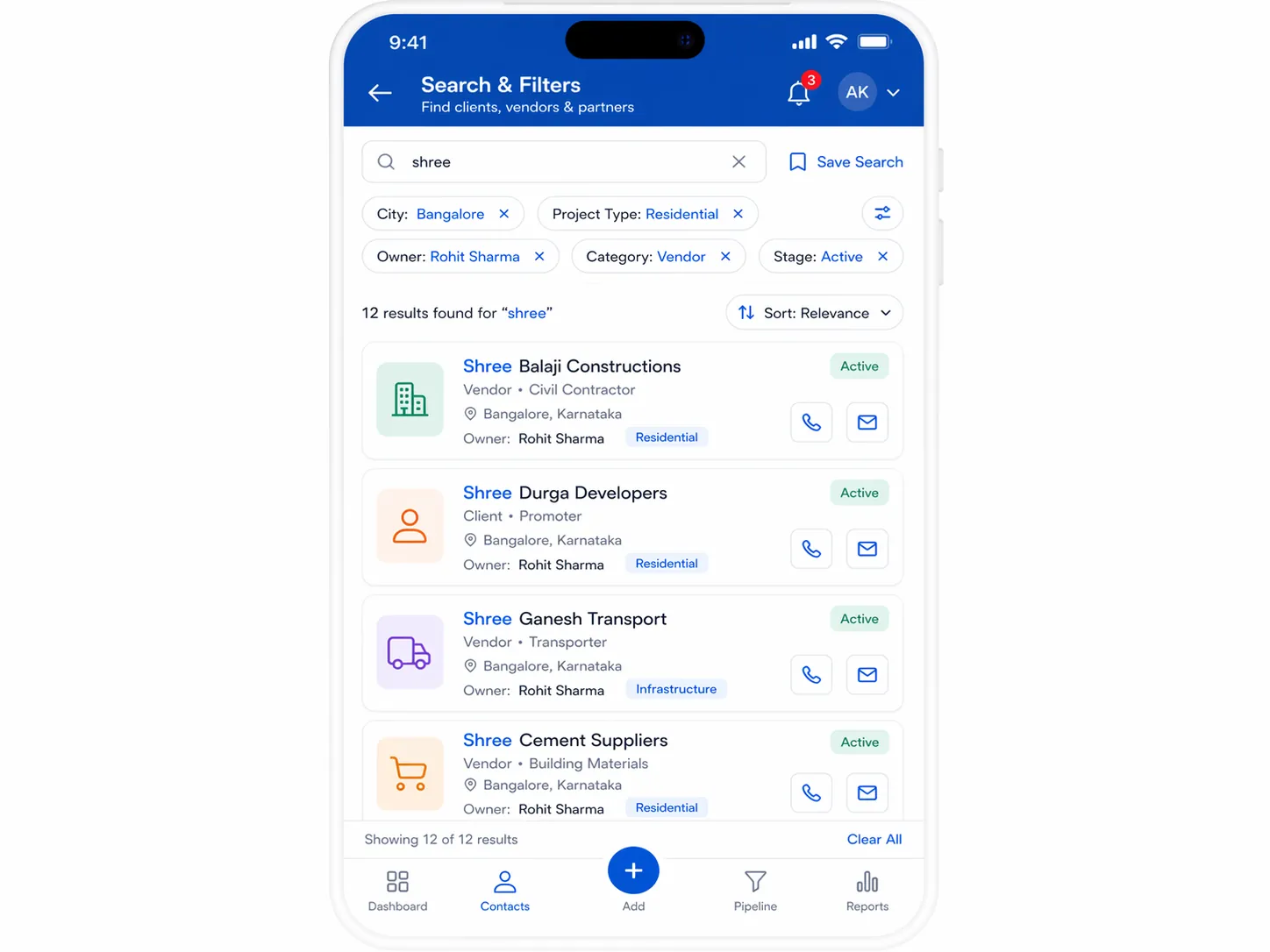
Search & Filters
Search by name, company, email, or phone and filter by stage and tags.
Organization-Wide Access
All team members access the same contact database. No more asking 'who has that client's number' - it's always in the system.
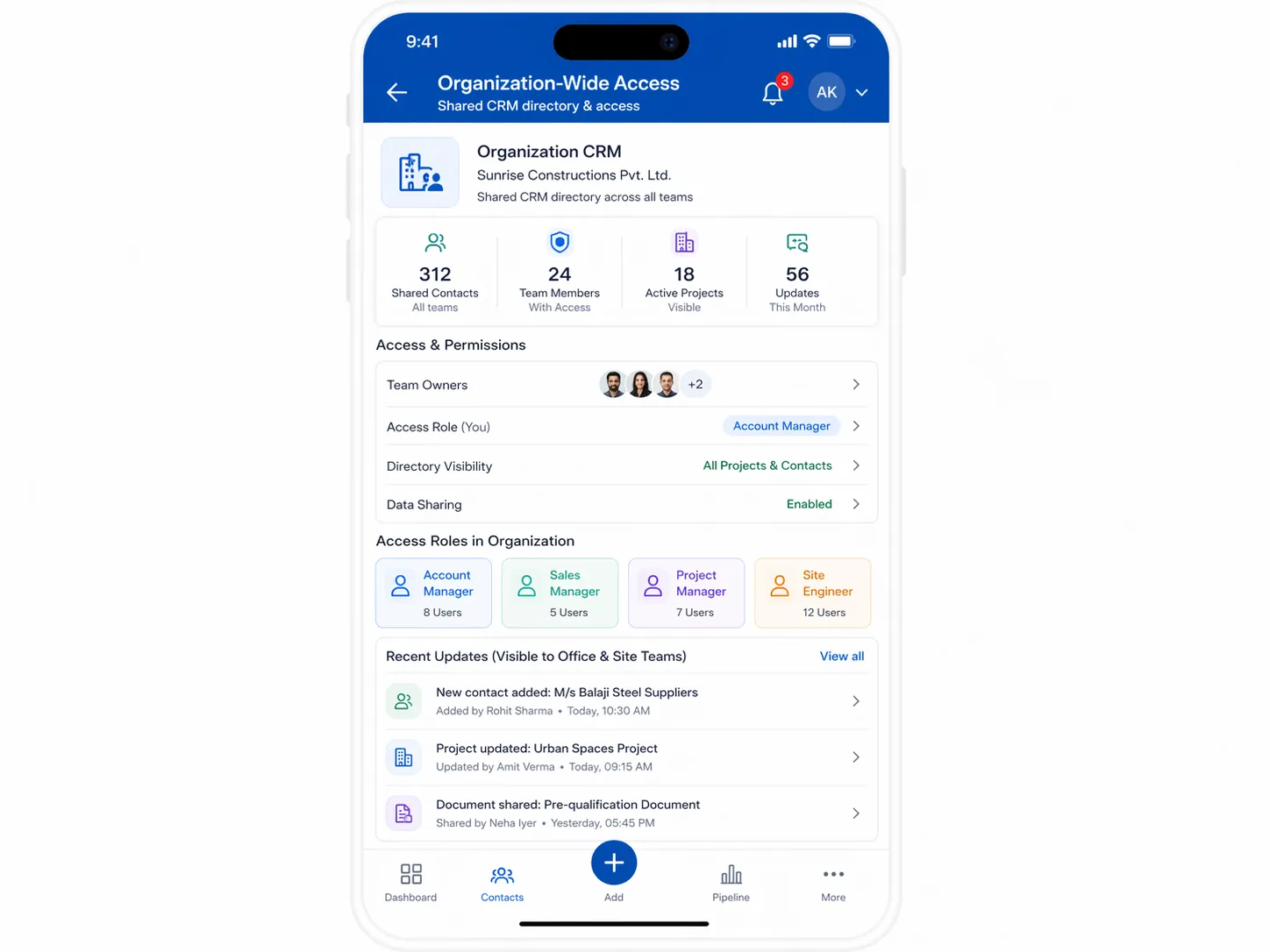
Organization-Level Feature
CRM is currently organization-scoped, not project-specific. Contacts and leads are available across all your projects, making it ideal for managing vendor relationships and business development activities at the company level.
Connected Contact Data
CRM keeps contact data visible to the teams who need it.
+ Procurement
Centralize vendor contacts so procurement teams know who to call.
+ Files
Keep notes, tags, and stage details with each contact for team visibility.
CRM FAQs
Answers for sales, procurement, and vendor coordination teams.
Who is construction CRM software for?
It is for builders, contractors, and project teams that need one shared place for client, vendor, consultant, and partner contacts.
How does the pipeline work in Site Setu CRM?
Contacts move through a simple inquiry, meeting, deal, and booking flow so follow-ups and context stay visible to the team.
Is the CRM module project-scoped or organization-wide?
It is organization-wide, which makes it useful for managing relationships across multiple projects and business units.
Can more than one person access the same contact records?
Yes. The CRM keeps a shared contact database so the team can see the same notes, categories, and stage history without relying on personal phones.
Explore Other Modules
Never Lose Track of Business Relationships
See how Site Setu CRM can help you organize contacts and keep opportunities moving—without scattered spreadsheets or phone books.